

GR1 Open Microwave Door Task#
This example demonstrates the complete workflow for the GR1 manipulation task of opening a microwave door. The environment is built and validated in Isaac Lab Arena, then passed to Isaac Lab for teleoperation data collection and data generation with Isaac Lab Mimic; the policy is post-trained with Isaac-GR00T and evaluated in closed loop back in Isaac Lab Arena.
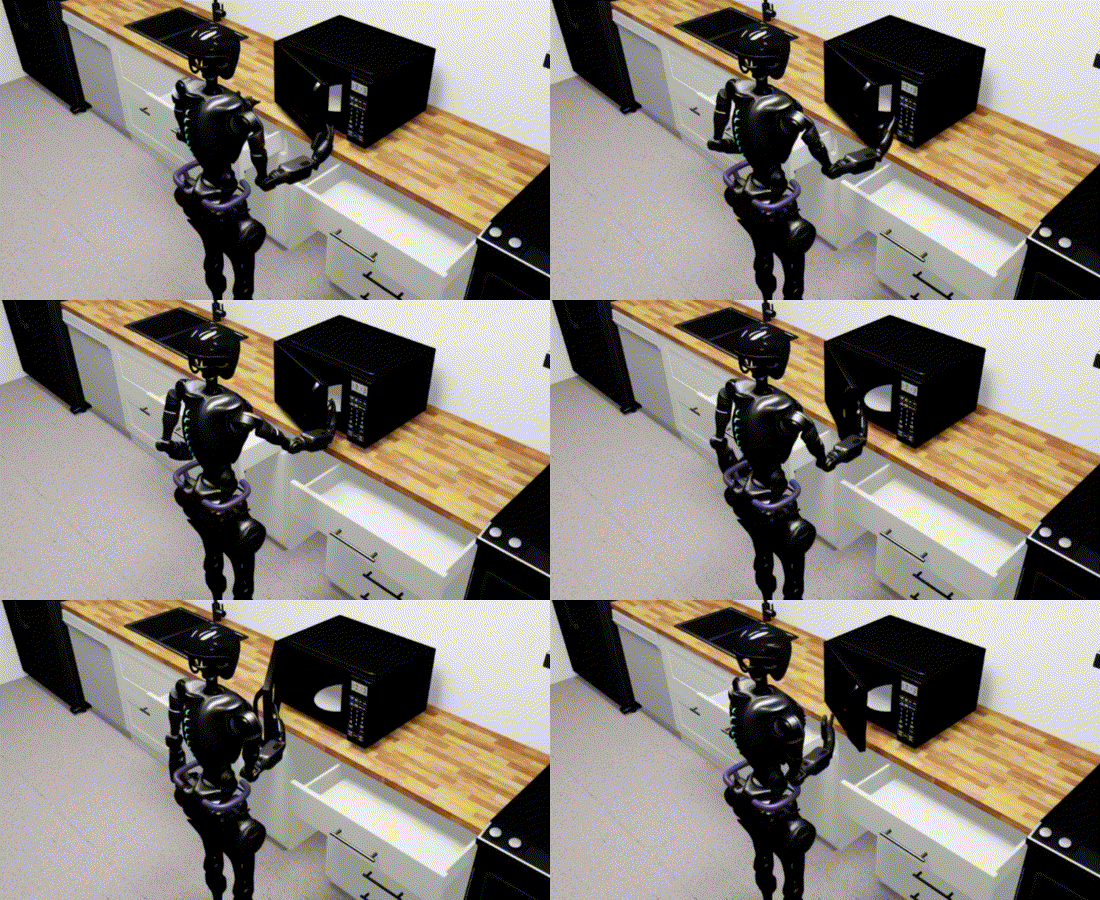
Task Overview#
Task ID: gr1_open_microwave
Task Description: The GR1T2 humanoid uses its upper body (arms and hands) to reach toward a microwave, and open the door.
Key Specifications:
Property |
Value |
|---|---|
Tags |
Table-top manipulation |
Skills |
Reach, Open door |
Embodiment |
Fourier GR1T2 (54 DOF humanoid) |
Interop |
Isaac Lab Teleop, Isaac Lab Mimic |
Scene |
Kitchen environment |
Objects |
Microwave (articulated object) |
Policy |
GR00T N1.6 (vision-language foundation model) |
Post-training |
Imitation Learning — post-trained with Isaac-GR00T |
Dataset |
|
Checkpoint |
|
Physics |
PhysX (200Hz @ 4 decimation) |
Closed-loop |
Yes (50Hz control) |
Metrics |
Success rate, Door moved rate |
Workflow#
This tutorial covers the pipeline between creating an environment in Isaac Lab Arena, generating training data through Isaac Lab, fine-tuning a policy (GR00T N1.6), and evaluating the policy in closed-loop in Isaac Lab Arena. A user can follow the whole pipeline, or can start at any intermediate step by downloading the pre-generated output of the preceding step(s), which we provide (described in the relevant step below).
Prerequisites#
Start the isaaclab docker container
./docker/run_docker.sh
We store data on Hugging Face, so you’ll need log in to Hugging Face if you haven’t already.
hf auth login
You’ll also need to create the folders for the data and models. Create the folders for the data and models with:
export DATASET_DIR=/datasets/isaaclab_arena/static_manipulation_tutorial
mkdir -p $DATASET_DIR
export MODELS_DIR=/models/isaaclab_arena/static_manipulation_tutorial
mkdir -p $MODELS_DIR
Workflow Steps#
Follow the following steps to complete the workflow: