

Record and Replay Placement Poses#
Use record_placement_layouts.py to save reusable initial poses for policy
evaluation. It solves placement relations, advances physics, and writes accepted
layouts to JSONL. Replay restores those poses on reset without solving or settling
them again. The same recorder supports ordinary placement relations and
ClutterOn scenes.
For table and container examples, see Clutter Layouts.
How Recording Differs from Online Placement#
Both workflows start with the placement pipeline: solve relations, run pre-physics validators, and store candidate layouts in per-environment pools.
Online placement applies a solved layout on reset, then policy evaluation begins. Resets normally consume the next pooled layout, generating more when the pool is empty. There is no recording-time settling and acceptance pass, so an object released above its support may still fall into place during the episode.
Offline recording uses a separate run to reset into pooled layouts, advance physics for a configured duration, and run post-physics validators. Layouts must pass their required solver checks and every enabled, applicable post-physics check. The recorder saves their final root poses after settling and validation results to JSONL, then those poses can be reused across evaluations.
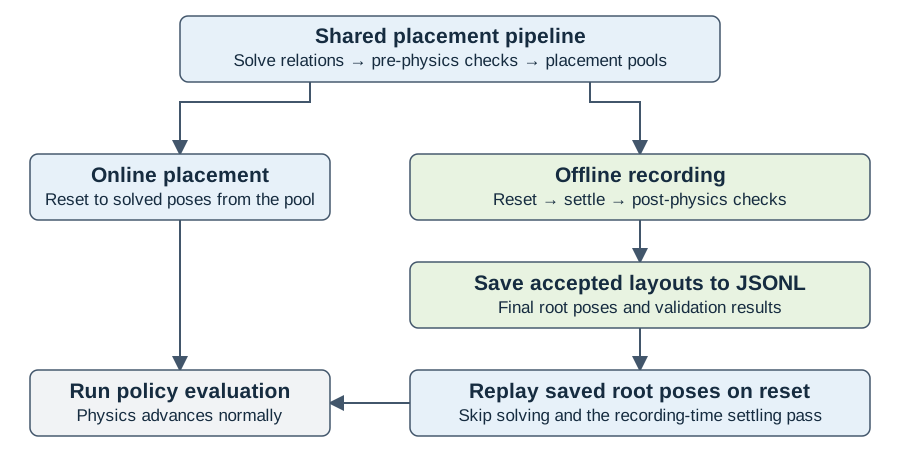
Offline recording adds a settling and filtering stage to the shared placement pipeline. Replay uses its saved output.#
Replay restores the saved root poses and zeros root velocities on reset. It bypasses solving and the recorder’s settling and acceptance pass; physics runs normally during policy evaluation. Recordings contain root poses, so joint states and other randomized properties still follow the evaluation environment’s reset configuration. Geometry and reachability checks are not rerun after settling.
See Placement Validation for the checks at each stage and Pooled Placement for pool and reset settings.
Choose Your Runtime#
Complete Installation, then select your setup below. Keep using the same shell for all recording and replay commands.
From the repository root on your host, activate the installed environment:
source .venv/bin/activate
Use the Arena container shell prepared during installation. Change to the mounted repository root inside the container:
cd /workspaces/isaaclab_arena
The commands below use python from your selected runtime.
Record Placement Layouts#
To run without a viewer, use render=false --viz none when recording and
--viz none when replaying.
Recording repeats reset-and-settle batches until it collects min_layouts
accepted layouts or exhausts max_batches. Each batch
resets every environment once. layouts_per_env controls how many solver
layouts each environment receives when its pool refills; it does
not set the accepted-layout target. The batch budget must allow at least
min_layouts attempts: max_batches * num_envs >= min_layouts.
The defaults are API defaults, not a recommended settling duration for every scene. The examples below override them where needed:
Option |
Default |
Meaning |
|---|---|---|
|
|
Parallel environments; one candidate per environment in a reset batch. |
|
|
Accepted-layout target; partial results are still saved. |
|
|
Maximum reset-and-settle batches. |
|
|
Solver pool refill size per environment, not the output count. |
|
|
Seed for placement and resets; does not ensure identical physics across machines. |
|
|
Environment steps per batch. Examples use longer settling intervals. |
|
Environment preset / launcher default |
Backend override and execution device. Select them explicitly for reproducible runs. |
|
|
Render physics steps and select a viewer. Use |
Settling time is num_steps × decimation × physics_dt_s seconds. The saved
validation.sampling metadata contains all three values. Clutter examples
explicitly use 480 environment steps; omitting that override uses only five.
Validator settings are described in Post-Physics Checks for Recordings.
Run this command from the repository root to record layouts from
clamp_in_right_bin in outputs/placements/clamp.jsonl:
python isaaclab_arena/scripts/record_placement_layouts.py \
    env_spec=isaaclab_arena_environments/robolab/tasks/clamp_in_right_bin.yaml \
    output=outputs/placements/clamp.jsonl \
    num_envs=4 env_spacing=2 min_layouts=16 max_batches=5 seed=42 \
    'viewer_eye=[4.0,4.0,6.3]' 'viewer_lookat=[0.6,0.6,0.3]' \
    settle.num_steps=120 \
    settle.validators.pose_shift.max_translation_m=0.015 \
    render=true --device cpu --viz kit
Objects start about 1 cm above their supporting surfaces. The command allows 15 mm of displacement during settling to accommodate this drop.
The command targets 16 accepted layouts using up to five batches in four parallel environments. If the batch budget is exhausted, any accepted layouts are still written, and the command logs the shortfall as an error and exits normally. If no layouts pass, no output file is written. Check the reported accepted count to confirm whether the target was reached; each JSONL line contains one accepted layout.
Console excerpts follow this format; angle brackets represent values from your run, not fixed acceptance criteria:
[placement] <step>/<total> physics steps
[recording] batch <batch>/5: <accepted>/16 collected
Saved 16/<attempted> accepted layouts: outputs/placements/clamp.jsonl
The Saved line appears when the target is reached. Acceptance counts and
settling motion can vary between machines and physics backends.
The GIF illustrates four reset-and-settle batches. Your run may need a different number of batches to reach the target:
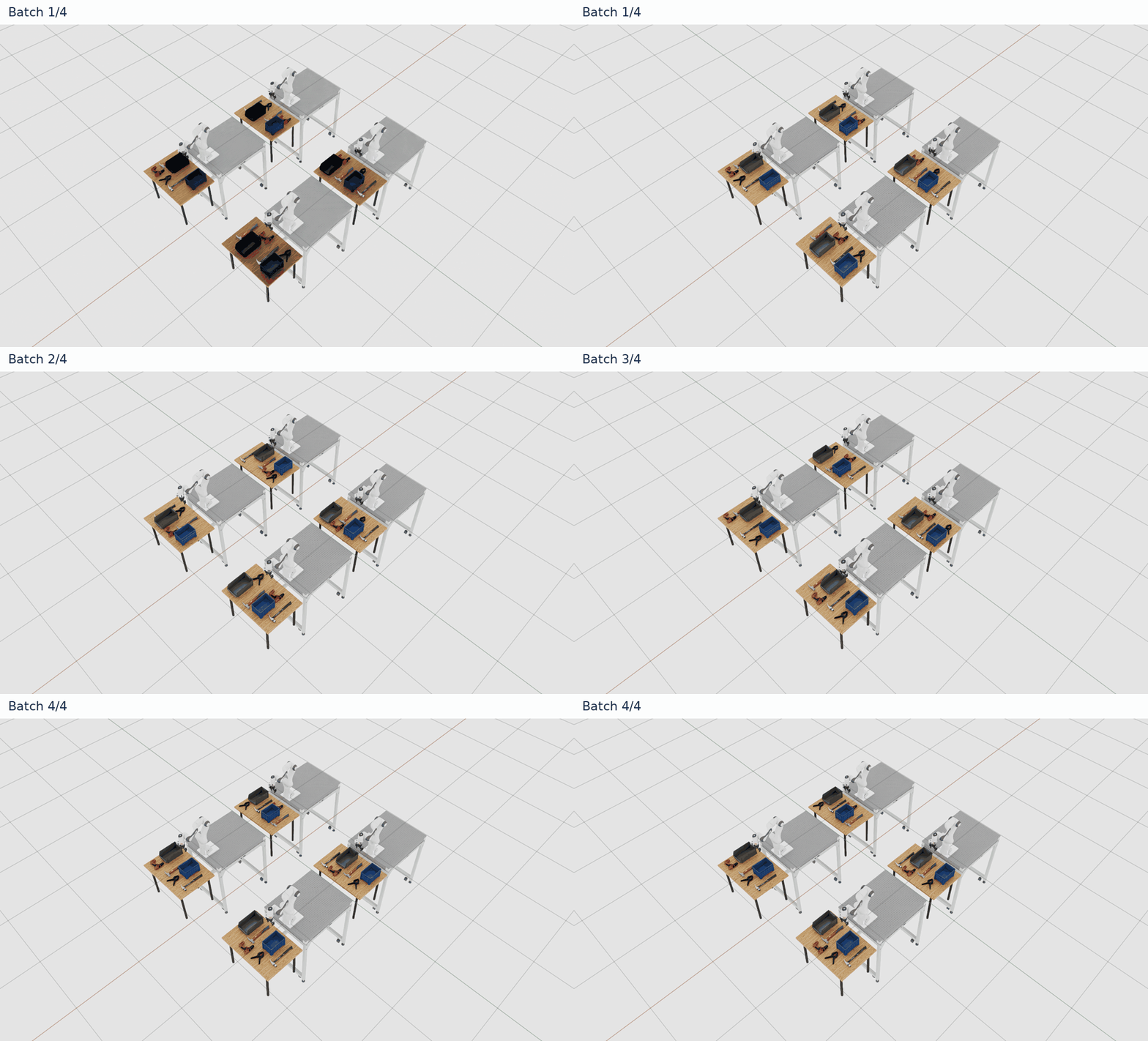
Choose a new output path for each recording. Existing files are not overwritten.
See Placement Validation for acceptance checks and their settings.
For ClutterOn scenes, the recorder merges clutter defaults, including
support_containment, with settle.validators. Explicit settings override
defaults within each check; other default checks remain configured. See
Fix Setup and Replay Errors for collection prerequisites and
Clutter Recording Checks for intentional-drop validation.
Inspect the Recording#
If a file was written, check its layout count and inspect its first record:
wc -l outputs/placements/clamp.jsonl
head -n 1 outputs/placements/clamp.jsonl | python -m json.tool
The line count must match the reported accepted count. Inspecting the first
record shows the format; it does not validate the whole file.
Under the top-level placement field, check:
layout_ididentifies the sample, andposescontains the recorded physics roots.validation.post_physicsreportspassed: truefor applicable checks; skipped checks havepassed: nulland a reason.validation.pre_physicsstores solver verdicts, andvalidation.samplingstores the settling duration and robot roots excluded from link checks.
See Relations and Strategies for pose names, units and replay constraints.
Replay Placement Layouts#
Set environment_builder.recorded_variation_samples_path in an
Experiment Definition to load the recording:
runs:
  clamp_replay:
    environment:
      type: isaaclab_arena_environments/robolab/tasks/clamp_in_right_bin.yaml
    environment_builder:
      num_envs: 1
      presets: PHYSX
      recorded_variation_samples_path: isaaclab_arena_environments/experiment_configs/placement_record_replay/clamp_placement_replay.jsonl
    policy:
      type: zero_action
    rollout_limit:
      num_episodes: 3
Run this command to replay the recording with the experiment definition above:
python isaaclab_arena/evaluation/experiment_runner.py \
    --experiment_config isaaclab_arena_environments/experiment_configs/placement_record_replay/settled_placement_replay_experiment.yaml \
    --device cpu --viz kit \
    --output_base_dir outputs/placements/evaluation
Open outputs/placements/evaluation/<timestamp>/index.html to inspect the
report. In the same directory, arena_experiment_result.json should show
runs.clamp_replay.status as "completed", and
clamp_replay/episode_results_rebuild0.jsonl should contain three episodes.
Task success is not expected with this zero-action policy. Completed episodes
confirm execution; they alone do not verify that reset poses match the recording.
Recordings restore object and robot root poses, while robot joints use their configured resets, which randomize the arm configuration in this Droid example. See Relations and Strategies for the file format and replay behavior.
Record Layouts with Rejections#
Run this command to record layouts from smartphone_in_bin, where objects can
move beyond the allowed limits during settling:
python isaaclab_arena/scripts/record_placement_layouts.py \
    env_spec=isaaclab_arena_environments/robolab/tasks/smartphone_in_bin.yaml \
    output=outputs/placements/smartphone.jsonl \
    num_envs=4 env_spacing=2 min_layouts=16 max_batches=5 seed=42 \
    'viewer_eye=[4.0,4.0,6.3]' 'viewer_lookat=[0.6,0.6,0.3]' \
    settle.num_steps=120 \
    settle.validators.pose_shift.max_translation_m=0.015 \
    render=true --device cpu --viz kit
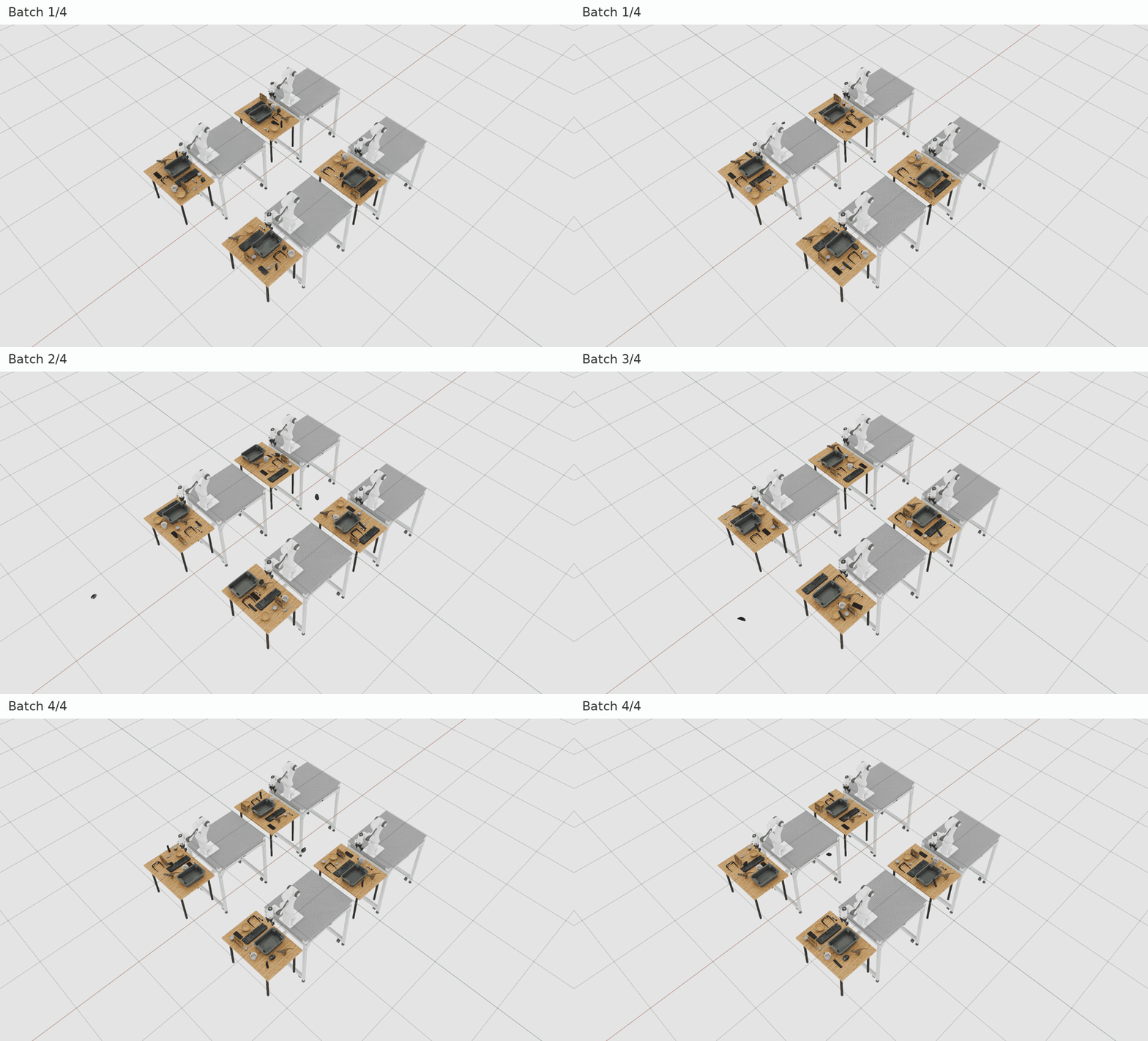
Only accepted layouts are saved. The console reports rejection reasons, explained in Understand the Rejection Summary.
For example, a pose-shift rejection has this format (the message is shortened):
Rejected <count>: pose_shift: computer_mouse: moved <metres> m ...
The full message includes measured rotation and the configured limits. A run with no accepted layouts writes no file and logs that outcome. If every layout passes, recording succeeded but rejection handling was not exercised.
Supported Use Cases and Limits#
The table summarizes the requirements for recording and the state that replay can restore.
Use case or setting |
Support and limitations |
|---|---|
Rigid and articulation roots |
Require writable roots, enabled pose resets, fixed root-reset poses and zero initial velocity. Replay restores root poses and zeros root velocities. |
Object sets |
Unsupported for recording. Resolve sets to concrete assets before recording. |
Randomized or per-environment root-reset poses |
Unsupported. Disable other pose-changing variations and callbacks when exact root replay is required. |
Robot motion and joint state |
The robot can move and push objects during settling. Robot joints are neither recorded nor checked for acceptance and use their configured resets during replay. |
Articulated task objects |
Link checks compare initial and final poses relative to the root. They do not check joint speeds or motion between those times. Replay cannot restore joint changes that occurred during settling. |
Geometry and IK after settling |
Geometry and reachability are not rechecked after settling. Accepted layouts do not guarantee valid contacts, reachability or deterministic motion during evaluation. |
Other variations, such as mass or visibility |
Sampled normally but not stored. Match these settings and joint initialization when comparing recording and replay. |
Reusing an environment for collection |
Collection consumes pool entries and leaves the final state, even on failure. Reset events must restore roots, joints and actuator targets. Physics-only steps do not advance counters for reset events with a minimum step interval. |
Batches with solver failures |
If any candidate passes the required solver checks, physics advances the whole batch. Candidates that failed those checks remain rejected. |
Python API#
With SimulationApp already running, the same workflow can build an environment,
record layouts, and close the environment:
from isaaclab_arena.offline_placement.recording_config import PlacementRecordingCfg
from isaaclab_arena.offline_placement.settled_placement_params import (
    SettledPlacementParams,
)
from isaaclab_arena.scripts.record_placement_layouts import (
    record_settled_placement_layouts,
)

settle = SettledPlacementParams(num_steps=120)
settle.validators["pose_shift"]["max_translation_m"] = 0.015
cfg = PlacementRecordingCfg(
    env_spec="isaaclab_arena_environments/robolab/tasks/clamp_in_right_bin.yaml",
    output="outputs/placements/clamp_python.jsonl",
    num_envs=4, env_spacing=2.0, min_layouts=16, max_batches=5, settle=settle,
)
summary = record_settled_placement_layouts(cfg, device="cpu")
print(summary.output, summary.accepted, summary.attempted)
summary.rejections contains rejection reasons. summary.output is None
only when nothing was accepted; partial recordings still have an output path.
Pass arena_env= to use an in-memory environment description instead of YAML.
See Adapt Your Own Environment for a complete application example and
factory-configuration guidance.
For an environment you already own:
record_placements_to_jsonl(env, output, min_layouts=..., max_batches=...)in the same script writes reusable JSONL and returns the same summary.collect_settled_placements(env, num_batches=...)inisaaclab_arena.offline_placement.settled_placementreturns accepted poses, validation reports and rejection reasons in memory. It processes a fixed number of batches without enforcing replay restrictions or writing a file.
Both APIs require a pooled placement reset event, normally built with
resolve_on_reset=True. Fixed-placement and cached-replay environments do not
provide that pool and cannot be recorded through these APIs.
Both caller-owned APIs accept params=SettledPlacementParams(...) and
scene_assets=arena_env.get_placement_assets(). Provide the complete asset list
for clutter preflight and for recording scene roots outside the placement pool.
These calls reset and advance the environment, leave it open at its final state
even on failure, and leave cleanup to the caller.