Deformable Pick and Place#
Pick up a deformable cube with the DROID robot and place it on a plate. The same task can run with either the Newton or PhysX deformable-body backend. This walkthrough covers previewing the environment, teleoperating it, and evaluating an OpenPI policy.
Task Overview#
Property |
Value |
|---|---|
Task ID |
|
Embodiment |
DROID; absolute joint-position control for OpenPI and differential inverse kinematics for teleoperation |
Scene |
Maple table with a deformable cube and a plate |
Task |
Pick up the cube, place it on the plate, and let it settle |
Physics |
Newton by default; select the backend-specific deformable asset for PhysX |
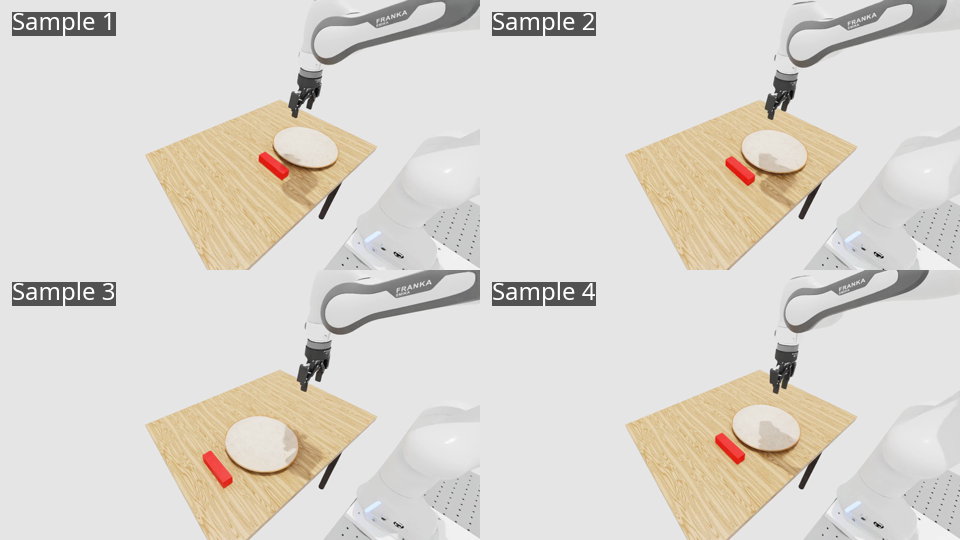
Four sampled initial placements are shown below. The placement relations are the same for both physics backends.
Prerequisites#
Complete the Arena installation and start your Arena
runtime. Run these commands from the repository root in the activated native environment or
inside the Base Docker container (/workspaces/isaaclab_arena).
Preview the Environment#
Use a zero-action policy to inspect either backend:
python isaaclab_arena/evaluation/policy_runner.py \
  --policy_type zero_action \
  --num_steps 1000 \
  --num_envs 1 \
  --viz kit \
  droid_deformable_pick_and_place \
  --pick_object deformable_cube_newton
python isaaclab_arena/evaluation/policy_runner.py \
  --policy_type zero_action \
  --num_steps 1000 \
  --num_envs 1 \
  --viz kit \
  droid_deformable_pick_and_place \
  --pick_object deformable_cube_physx
Teleoperate the Task#
The Isaac Lab teleoperation script can control the task through Arena’s interop callback.
The commands below use keyboard control; replace keyboard with spacemouse to use a
SpaceMouse. Press K to open or close the gripper and R to reset an attempt.
See SpaceMouse Setup (Optional) for the required host permissions and Docker setup.
python submodules/IsaacLab/scripts/environments/teleoperation/teleop_se3_agent.py \
  --task droid_deformable_pick_and_place \
  --external_callback isaaclab_arena.environments.isaaclab_interop.environment_registration_callback \
  --teleop_device keyboard \
  --viz kit \
  --pick_object deformable_cube_newton \
  --embodiment droid_differential_ik
python submodules/IsaacLab/scripts/environments/teleoperation/teleop_se3_agent.py \
  --task droid_deformable_pick_and_place \
  --external_callback isaaclab_arena.environments.isaaclab_interop.environment_registration_callback \
  --teleop_device keyboard \
  --viz kit \
  --pick_object deformable_cube_physx \
  --embodiment droid_differential_ik
Note
The cube in this example uses MeshCuboidCfg, which initially authors only a triangle
surface mesh. A volume deformable also needs a tetrahedral simulation mesh, so Isaac Lab
calls fTetWild during scene creation when it cannot find an existing UsdGeom.TetMesh.
This on-the-fly conversion is nondeterministic between process launches and may produce
different node counts or connectivity. Demonstration datasets include the initial nodal
state, which can be restored only into the same topology. If deterministic topology is
required, including for recording and replay, pre-generate a USD containing a
UsdGeom.TetMesh and use that asset instead.
Evaluate with OpenPI#
Start the local OpenPI server in a separate terminal:
./isaaclab_arena_openpi/docker/run_openpi_server.sh
Then evaluate four parallel environments for 16 completed episodes:
python isaaclab_arena/evaluation/policy_runner.py \
  --policy_type isaaclab_arena_openpi.policy.pi0_remote_policy.Pi0RemotePolicy \
  --num_episodes 16 \
  --num_envs 4 \
  --viz kit \
  --enable_cameras \
  droid_deformable_pick_and_place \
  --pick_object deformable_cube_newton
A local 16-episode OpenPI pi05 validation run succeeded in 9 episodes (56.25%).
This small stochastic run validates the workflow.
python isaaclab_arena/evaluation/policy_runner.py \
  --policy_type isaaclab_arena_openpi.policy.pi0_remote_policy.Pi0RemotePolicy \
  --num_episodes 16 \
  --num_envs 4 \
  --viz kit \
  --enable_cameras \
  droid_deformable_pick_and_place \
  --pick_object deformable_cube_physx
A local 16-episode OpenPI pi05 validation run succeeded in 15 episodes (93.75%).
This small stochastic run validates the workflow.
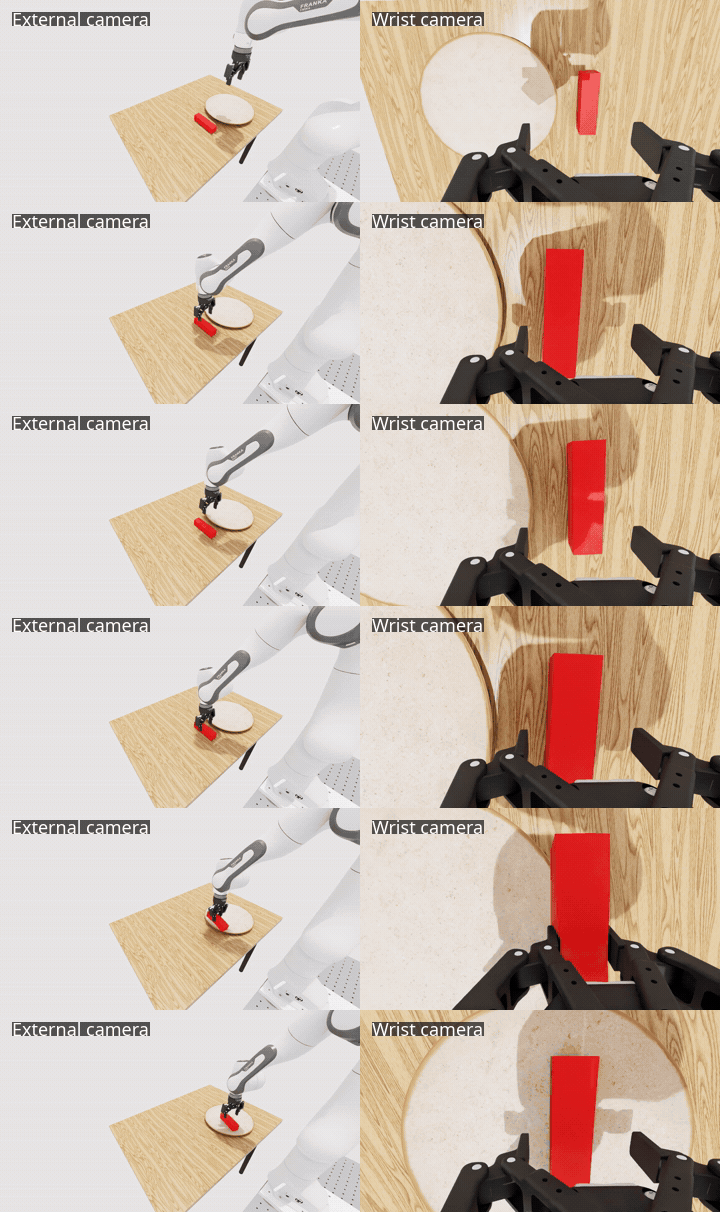
The following rollout shows one successful Newton episode from an external camera and the robot wrist camera: