

G1 Loco-Manipulation Box Pick and Place Task#
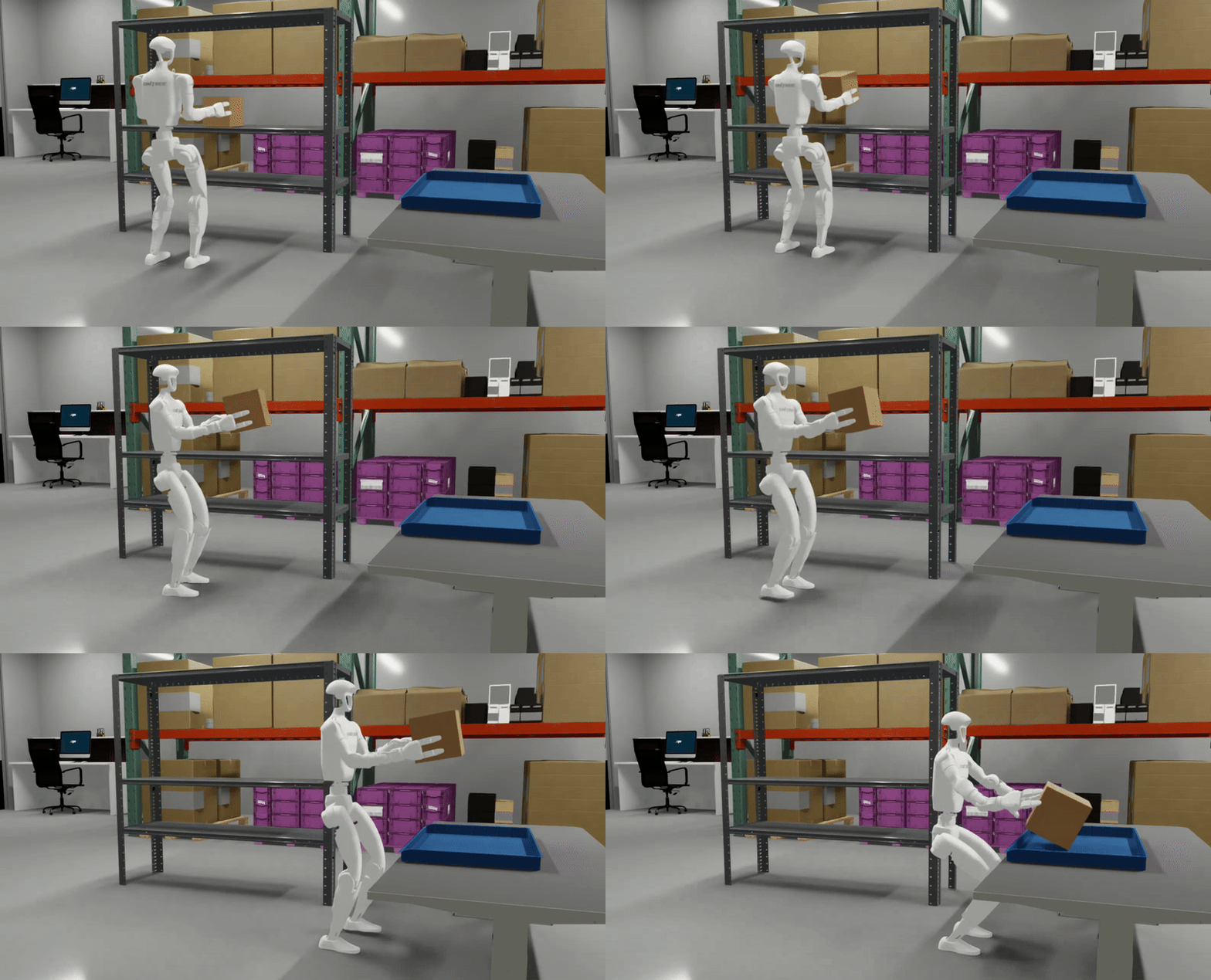
This example demonstrates the complete workflow for the G1 loco-manipulation box pick and place task. The environment is built and validated in Isaac Lab Arena, then passed to Isaac Lab for teleoperation data collection (OpenXR with Meta Quest 3) and data generation with Isaac Lab Mimic; the policy is post-trained with Isaac-GR00T and evaluated in closed loop back in Isaac Lab Arena.
Task Overview#
Task Name: galileo_g1_locomanip_pick_and_place
Task Description: The G1 humanoid robot navigates through a lab environment, picks up a brown box from a shelf, and places it into a blue bin. This task requires full-body coordination including lower body locomotion, squatting, and bimanual manipulation.
Key Specifications:
Property |
Value |
|---|---|
Tags |
Room-scale loco-manipulation |
Skills |
Squat, Turn, Walk, Pick, Place |
Embodiment |
Unitree G1 (29 DOF humanoid with Whole Body Controller) |
Interop |
Isaac Lab Mimic |
Scene |
Galileo Lab Environment |
Manipulated Object(s) |
Brown box (rigid body) |
Policy |
GR00T N1.6 (vision-language-action foundation model) |
Post-training |
Imitation Learning — post-trained with Isaac-GR00T |
Dataset |
|
Checkpoint |
|
Physics |
PhysX (200Hz @ 4 decimation) |
Closed-loop |
Yes (50Hz control) |
Metrics |
Success rate |
Workflow#
This tutorial covers the pipeline between creating an environment in Isaac Lab Arena, collecting teleoperation demonstrations and generating training data through Isaac Lab, fine-tuning a policy (GR00T N1.6), and evaluating the policy in closed-loop in Isaac Lab Arena. A user can follow the whole pipeline, or can start at any intermediate step by downloading the pre-generated output of the preceding step(s), which we provide (described in the relevant step below).
Prerequisites#
Start the isaaclab docker container
./docker/run_docker.sh
We store data on Hugging Face, so you’ll need log in to Hugging Face if you haven’t already.
hf auth login
Create the folders for the data and models:
export DATASET_DIR=/datasets/isaaclab_arena/locomanipulation_tutorial
mkdir -p $DATASET_DIR
export MODELS_DIR=/models/isaaclab_arena/locomanipulation_tutorial
mkdir -p $MODELS_DIR
Workflow Steps#
Follow the following steps to complete the workflow: