

Author a kitchen_bench Environment with a Coding Agent#
This workflow uses a coding agent to generate a new environment that extends Arena’s KitchenBench benchmark with a new environment.
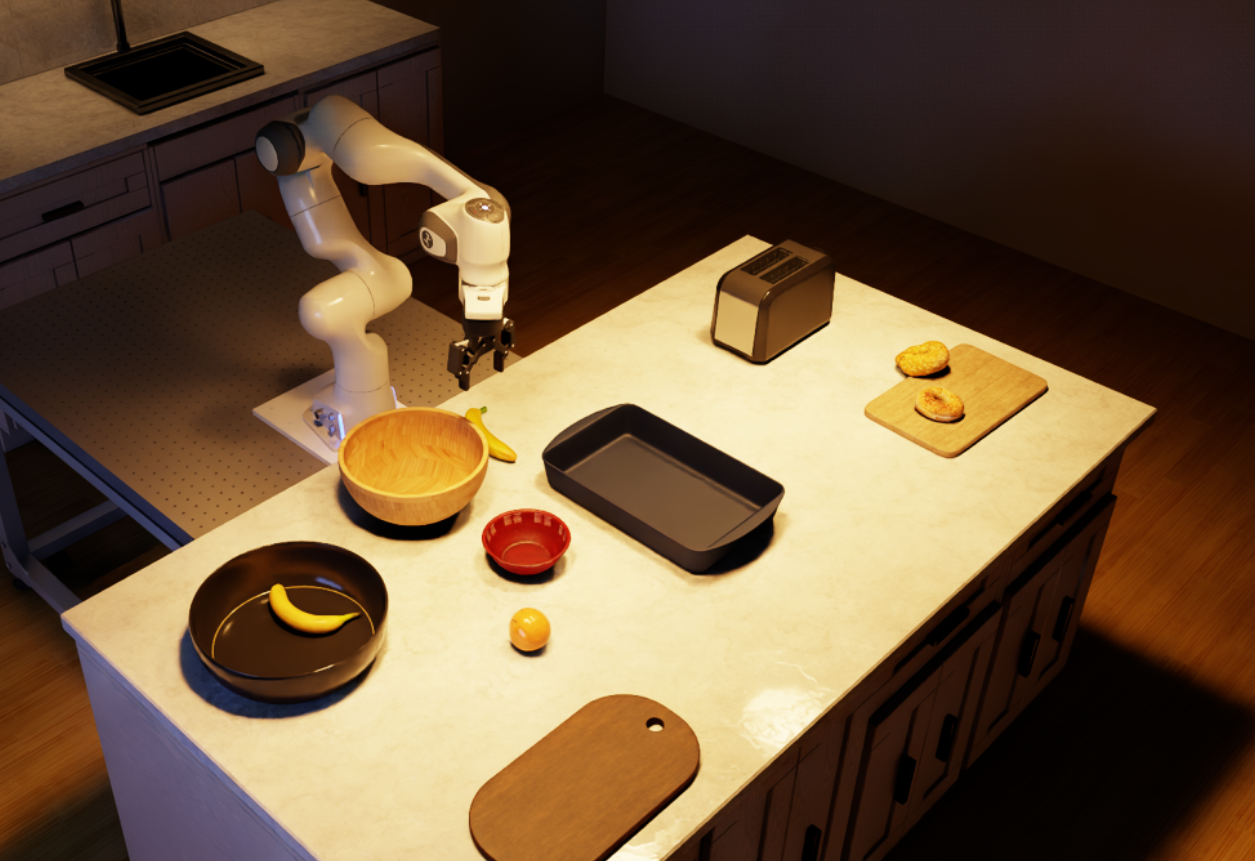
The environment the agent produced in our run, previewed in Kit.#
Prerequisites#
Complete the Arena installation, then set up either the native uv environment or the Arena Docker container:
Prepare the Arena runtime from the repository root, using either a native uv environment or the
base Docker container (see Installation for the full setup):
uv sync --extra dev
source .venv/bin/activate
export OMNI_KIT_ACCEPT_EULA=YES ACCEPT_EULA=Y
./docker/run_docker.sh
Install and authenticate your favourite coding agent on the host, then start it from the repository root. In our example, we use Codex with GPT-6 Astra and high reasoning effort.
Install the Codex CLI on the host using the official
installation guide,
then authenticate on the host with codex login.
Codex CLI 0.160.0 or newer is recommended, check with codex --version.
Viewing an Existing kitchen_bench Environment#
A similar existing environment is
kitchen_bench_replicator_g_shape_banana_and_orange_in_bowl, from the
Kitchen Benchmark Catalog.
Preview the existing scene by running it with some zero actions using:
python isaaclab_arena_examples/agentic_environment_generation/cli_runner.py \
  --mode build \
  --env_spec isaaclab_arena_environments/kitchen_bench/kitchen_bench_replicator_g_shape_banana_and_orange_in_bowl.yaml \
  --num_envs 1 \
  --num_steps 600 \
  --placement_seed 42 \
  --viz kit
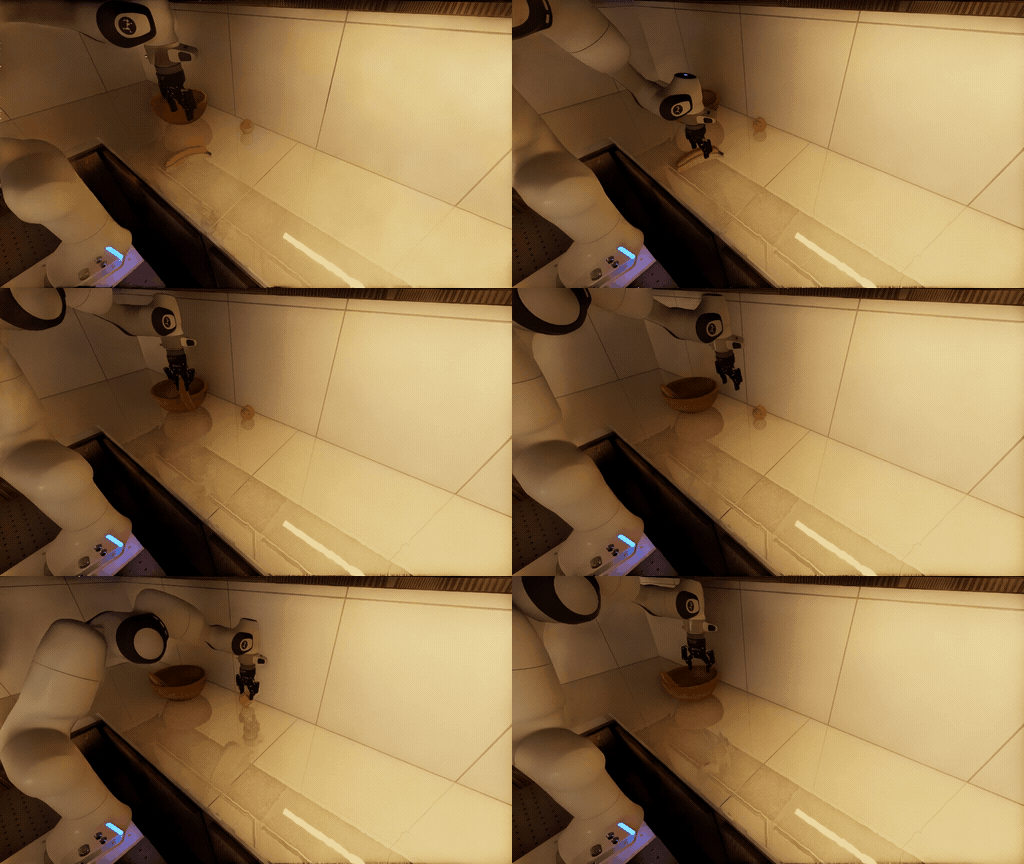
A π0.5 policy placing the banana and the orange in the wooden bowl.#
The Result#
In our run, Astra completed and produced the following environment YAML after four revisions.
Environment YAML produced by the agent in our run
env_name: peninsula_banana_and_orange_in_bowls
embodiment:
  id: droid
  registry_name: droid_abs_joint_pos
  params:
    stand_height_m: 0.8
    placement_bbox_stand_only: true
background:
  id: kitchen
  registry_name: replicator_kitchen_peninsula
  params:
    collision_mode: mesh
objects:
- id: wooden_bowl
  registry_name: wooden_bowl_hot3d_robolab
- id: red_bowl
  registry_name: bowl_ycb_robolab
- id: banana
  registry_name: banana_ycb_robolab
- id: orange
  registry_name: orange_01_fruits_veggies_robolab
object_references:
- id: floor
  parent_id: kitchen
  prim_path: KitchenRoom/Floor
  object_type: base
- id: island_top
  parent_id: kitchen
  prim_path: CapSurface_02
  object_type: base
# Keep the full long side available; collision and IK checks select feasible layouts.
relations:
- kind: is_anchor
  subject: floor
- kind: is_anchor
  subject: island_top
- kind: "on"
  subject: droid
  reference: floor
- kind: next_to
  subject: droid
  reference: island_top
  params:
    side: positive_y
    distance_m: 0.15
    tolerance_m: 0.15
- kind: rotate_around_solution
  subject: droid
  params:
    yaw_rad: -1.5707963267948966
- kind: align_with
  subject: droid
  reference: wooden_bowl
  params:
    axis: x
    tolerance_m: 0.15
# Keep the group close in depth without restricting travel along the island.
- kind: align_with
  subject: droid
  reference: wooden_bowl
  params:
    axis: y
    offset_m: 0.6
    tolerance_m: 0.2
- kind: "on"
  subject: wooden_bowl
  reference: island_top
- kind: "on"
  subject: red_bowl
  reference: island_top
# From the robot at +Y looking toward -Y, the red bowl is behind the wooden bowl.
- kind: next_to
  subject: red_bowl
  reference: wooden_bowl
  params:
    side: negative_y
    distance_m: 0.05
    tolerance_m: 0.04
- kind: align_with
  subject: red_bowl
  reference: wooden_bowl
  params:
    axis: x
    tolerance_m: 0.04
- kind: "on"
  subject: banana
  reference: island_top
- kind: align_with
  subject: banana
  reference: wooden_bowl
  params:
    axis: x
    tolerance_m: 0.4
- kind: align_with
  subject: banana
  reference: wooden_bowl
  params:
    axis: y
    tolerance_m: 0.2
- kind: "on"
  subject: orange
  reference: island_top
- kind: align_with
  subject: orange
  reference: red_bowl
  params:
    axis: x
    tolerance_m: 0.4
- kind: align_with
  subject: orange
  reference: red_bowl
  params:
    axis: y
    tolerance_m: 0.2
placer_params:
  allow_best_loss_fallbacks: false
env_cfg_override:
  task_progress:
    desired_subtask_success_state: [true, true]
task:
  composition: parallel
  description: Put the banana in the wooden bowl and the orange in the red bowl, in either order.
    Both fruits must be in their respective bowls at completion.
  subtasks:
  - kind: PickAndPlaceTask
    params:
      pick_up_object: banana
      destination_location: wooden_bowl
      destination_object: wooden_bowl
      background_scene: kitchen
  - kind: PickAndPlaceTask
    params:
      pick_up_object: orange
      destination_location: red_bowl
      destination_object: red_bowl
      background_scene: kitchen
To visualize the object placements in the environment, we can use the placement pool validation tool.
python isaaclab_arena/scripts/run_placement_pool_validation.py \
  --env_spec isaaclab_arena_environments/agent_generated/peninsula_banana_and_orange_in_bowls.yaml \
  --num_envs 1 \
  --placement_seed 42 \
  --viz kit \
  --render
You should see something similar to the following video:
Ten reset layouts of the agent-authored peninsula kitchen environment.
Evaluate a Policy#
The new environment can be used to evaluate a policy straight away. Ask the agent to evaluate the pi05 DROID checkpoint on it through a local OpenPI server:
 Evaluate the pi05 DROID policy on the environment at
 `isaaclab_arena_environments/agent_generated/peninsula_banana_and_orange_in_bowls.yaml` for 3 episodes.
 Record camera videos, and open the evaluation report in my browser when it's done.
The repository’s run-experiment and serve-openpi-policy skills guide
the agent through the evaluation. Expect it to:
Write the Experiment: write a one-Run Experiment that points at your environment and uses
Pi0RemotePolicywith thepi05variant and the DROID adapter.Start pi0.5: reuse a running OpenPI server for that variant and port, or start one with
./isaaclab_arena_openpi/docker/run_openpi_server.sh. The first start builds theisaaclab_arena:openpi_serverimage (~3 min, ~19 GB) and downloads the ~11 GB checkpoint, so the agent should ask before starting it.Run the evaluation: run the Experiment with
isaaclab_arena/evaluation/experiment_runner.pyand the--record_camera_videoflag, then report the results.Open the report: open the
index.htmlevaluation report from the run’s output directory underoutputs/in your browser.
An episode only counts as a success when both fruits are in their bowls. The
results also include subtask_success_rate, the success rate for each fruit,
so you can see which placement the policy completed.
The report shows each episode’s result next to its recorded videos, one per camera.
A pi05 episode on the environment from our run, shown at 5x speed from the two external cameras and the wrist camera. The policy places the orange in the red bowl but not the banana in the wooden bowl, so the episode times out without success.
Experiment for the environment from our run
runs:
  peninsula_banana_and_orange_pi05:
    environment:
      type: isaaclab_arena_environments/agent_generated/peninsula_banana_and_orange_in_bowls.yaml
      enable_cameras: true
    environment_builder:
      num_envs: 1
      placement_seed: 42
    policy:
      type: isaaclab_arena_openpi.policy.pi0_remote_policy.Pi0RemotePolicy
      policy_variant: pi05
      policy_device: cuda:0
      remote_host: 127.0.0.1
      remote_port: 8000
      openpi_embodiment_adapter: droid
    rollout_limit:
      num_episodes: 3
See OpenPI for running the server and the Experiment Runner yourself.
Going Further#
The environment YAML plugs straight into an Arena Experiment runner and can be used in all Arena evaluation workflows. For example:
Parallel evaluation: The environment can be run across many parallel environments. See Run an Evaluation with Recorded Variations.
Multi-node evaluation: The same environment can be evaluated across a multi-node cluster with OSMO. See Multi-Node Evaluation.
Variations: Expose the policy to controlled perturbations through Arena’s variation system. See Run an Evaluation.
Metrics: By default, Arena collects evaluation-oriented metrics which can be viewed after an experiment run. See Sensitivity Analysis.
Task validation without a policy: Check that the task can be completed by driving the fruit into the bowls with bounded forces. See Object Control Runner.