

First Arena Experiment#
The previous page launched three versions of the Maple-table scene and previewed 64 parallel copies. Here, those four setups become four named Runs in one YAML file. The zero-action policy keeps the example quick and needs no model weights.
Together, those Runs form an Arena Experiment. The YAML file is its Experiment Definition.
Define the Experiment#
The four Runs collect the three setups you launched and the parallel setup you previewed:
baseline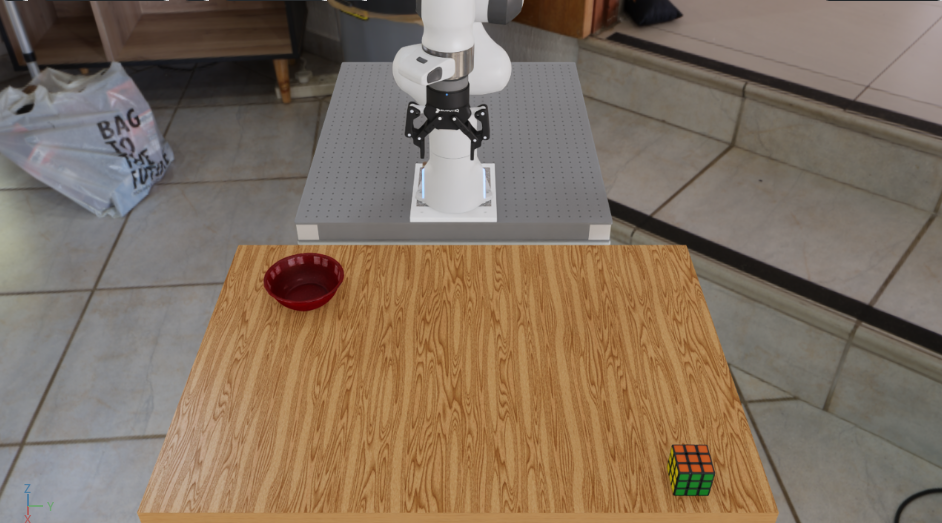
Uses the shared environment settings without changes.
swap_objects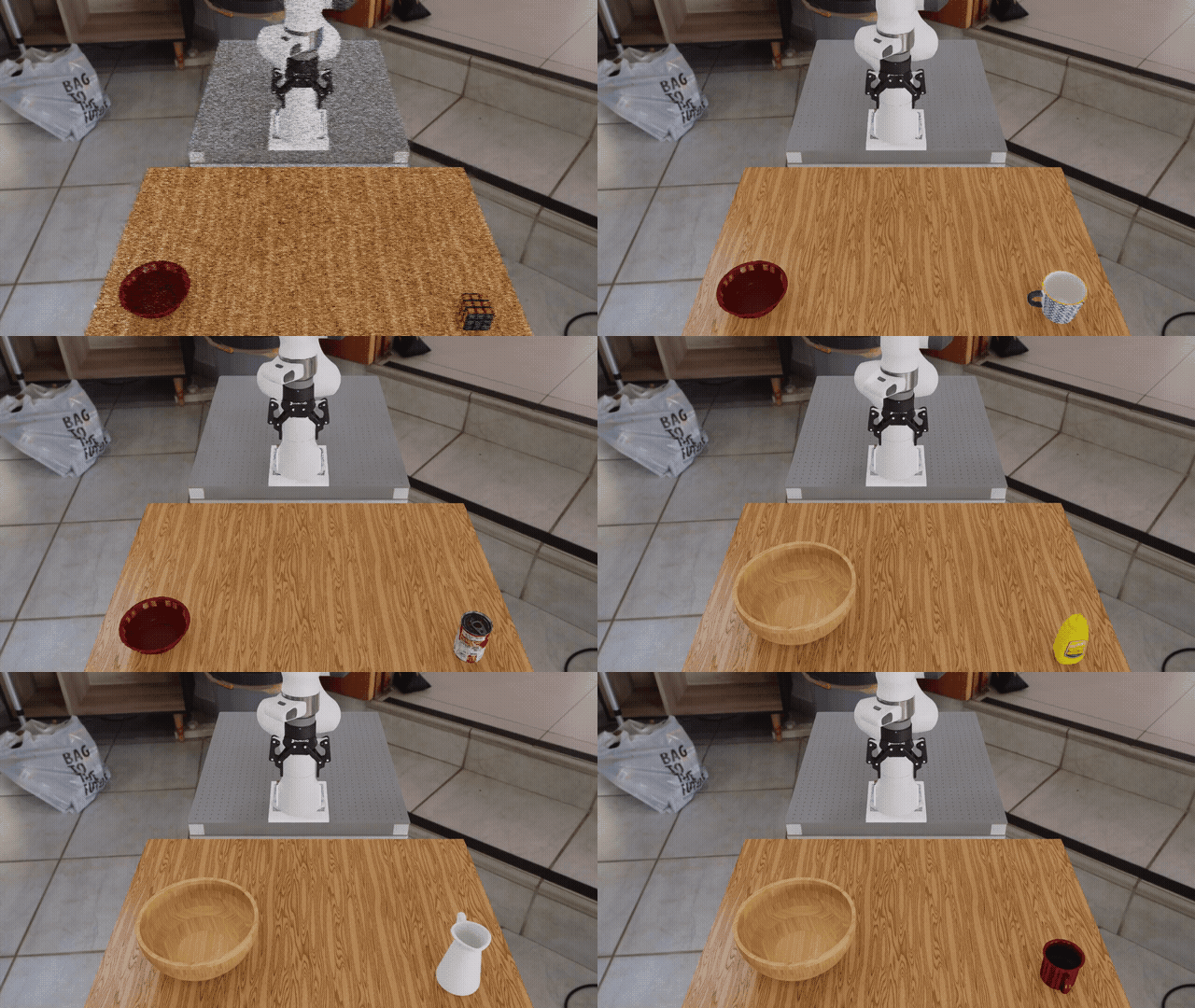
Replaces the Rubik’s cube and bowl with a mustard bottle and wooden bowl.
change_background_hdr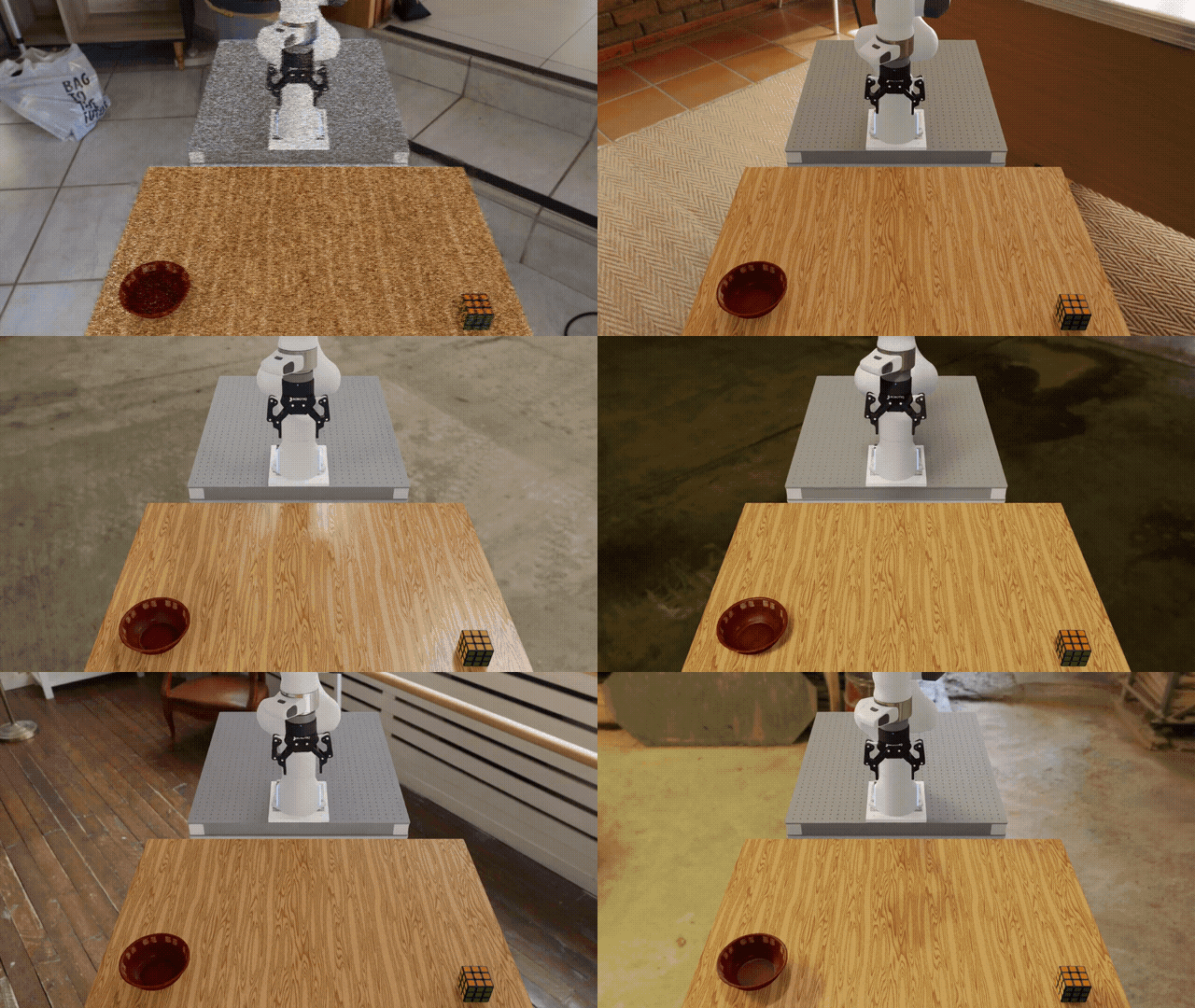
Replaces the home-office background with a billiard hall.
parallel_envs
Runs 64 copies of the baseline environment in parallel.
The four setups above are defined together in one YAML file:
shared:
  environment:
    type: pick_and_place_maple_table
    embodiment: droid_rel_joint_pos
    pick_up_object: rubiks_cube_hot3d_robolab
    destination_location: bowl_ycb_robolab
    hdr: home_office_robolab
    # Short demo timeout in simulated time, not wall-clock time.
    episode_length_s: 1.5
  policy:
    type: zero_action
  rollout_limit:
    num_episodes: 1

runs:
  baseline: {}

  swap_objects:
    environment:
      pick_up_object: mustard_bottle_hot3d_robolab
      destination_location: wooden_bowl_hot3d_robolab

  change_background_hdr:
    environment:
      hdr: billiard_hall_robolab

  parallel_envs:
    environment_builder:
      num_envs: 64
      env_spacing: 2.5
There are three ideas to notice:
Values below
sharedare used by every Run.The keys below
runsare the Run names.baseline: {}uses the shared values as written. The other Runs list only what they change.
The shared episode_length_s: 1.5 value is a short timeout in simulated time. Together with
the one-episode rollout limit, it lets this zero-action example finish quickly and produce episode
results.
Run the Experiment locally#
Prepare the runtime from the repository root, using either a native uv environment or the base
Docker container (see Installation for the full setup):
uv sync --extra dev
source .venv/bin/activate
export OMNI_KIT_ACCEPT_EULA=YES ACCEPT_EULA=Y
./docker/run_docker.sh
Then run the Experiment:
python isaaclab_arena/evaluation/experiment_runner.py \
  --viz kit \
  --experiment_config isaaclab_arena_environments/experiment_configs/getting_started_experiment.yaml
The Experiment Runner loads the Runs in YAML order and reuses one SimulationApp. It builds a fresh environment for every Run, then closes that environment before starting the next one.
Note
The four Runs execute one after another on your machine. The 64 environments in
parallel_envs are different: they are copies inside that one Run, and they step in parallel.
By default, Arena saves the result as
outputs/YYYY-MM-DD_HH-MM-SS/arena_experiment_result.json and prints the exact path. The file
records every Run, its status, and its episode results.
Change values from the command line#
You can adjust declared values without editing the YAML. This command changes the shared episode limit inherited by every Run:
python isaaclab_arena/evaluation/experiment_runner.py \
  --viz kit \
  --experiment_config isaaclab_arena_environments/experiment_configs/getting_started_experiment.yaml \
  shared.rollout_limit.num_episodes=4
A value written directly inside a Run would still take priority over this shared override. To
change only one Run, start the path with runs.<name>. This command reduces the number of
parallel environments in parallel_envs:
python isaaclab_arena/evaluation/experiment_runner.py \
  --viz kit \
  --experiment_config isaaclab_arena_environments/experiment_configs/getting_started_experiment.yaml \
  runs.parallel_envs.environment_builder.num_envs=8
This changes only environment_builder.num_envs in the parallel_envs Run. OSMO uses the same
paths below experiment_cfg; for example, the shared override above becomes
experiment_cfg.shared.rollout_limit.num_episodes=4 at submission time.
See Arena Experiments for the full precedence order and configuration rules.
Next steps#
Continue to Exploring Environment Variations to sample controlled environment changes.
Continue to Running a Real Policy to evaluate a trained policy.