

Pick and Place on a Kitchen Countertop#
This example uses the agentic environment-generation GUI to create a DROID
pick-and-place task in the lightwheel_robocasa_kitchen background. The
environment-generation agent identifies a countertop prim in the kitchen and
uses it as the placement reference for the task objects. Arena’s relation solver
also places the robot on the floor next to the counter so that it can perform
the task.
Docker Container: Base (see Installation for more details)
./docker/run_docker.sh
Generate the Object Placement#
Note
We recommend using the GUI runner for this workflow because it requires interactive editing to disambiguate the countertop and refine the robot placement.
Start the agentic environment-generation GUI:
python isaaclab_arena_examples/agentic_environment_generation/gui_runner.py
Enter the first prompt:
There is a counter top in the lightwheel_robocasa_kitchen background.
DROID picks up a mustard bottle on the counter top and places it in a bowl.
The generated environment graph contains the kitchen, mustard bottle, bowl, and a reference to a counter surface.
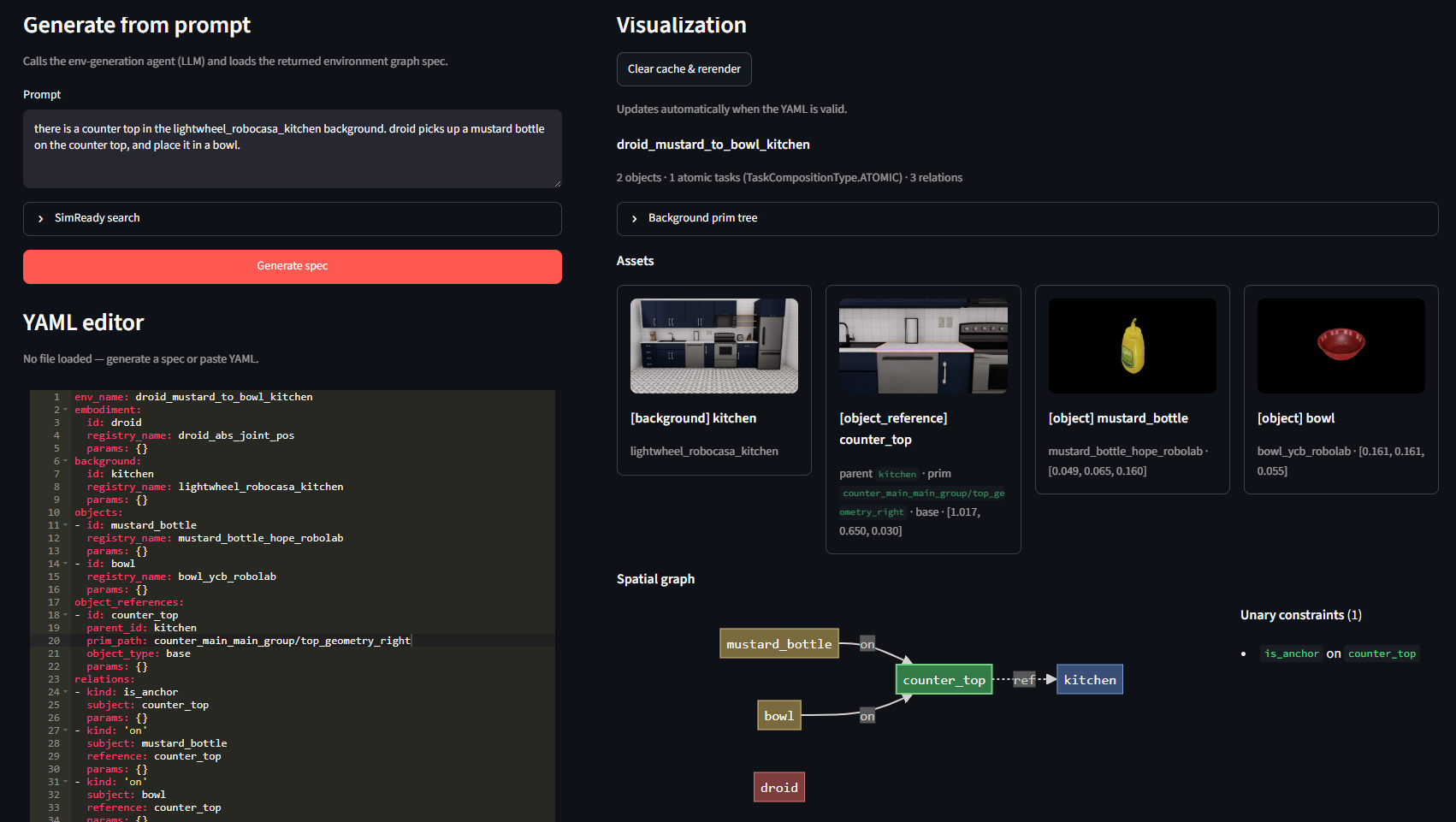
The first prompt generates the object placement and pick-and-place task.#
Resolve the Countertop Ambiguity#
The prompt does not identify which countertop to use. Expand the GUI’s
Background prim tree and search for counter. The kitchen contains five
candidate counter surfaces:
counter_main_main_group/top_geometry_backcounter_main_main_group/top_geometry_frontcounter_main_main_group/top_geometry_leftcounter_main_main_group/top_geometry_rightcounter_right_main_group/top_geometry
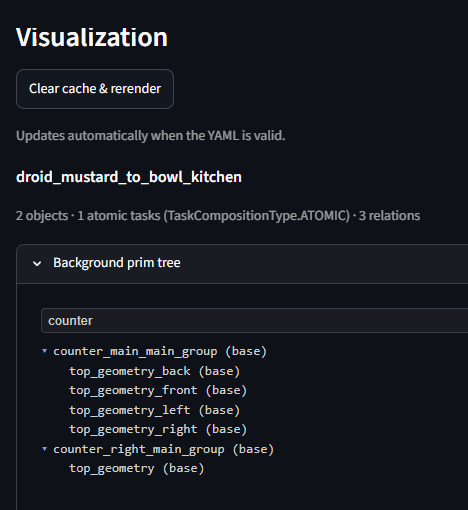
The background prim tree disambiguates the counter surfaces available in the Lightwheel RoboCasa kitchen.#
For this task, select the center-right countertop by updating the object reference in the YAML editor:
object_references:
- id: right_counter_top
  parent_id: kitchen
  prim_path: counter_main_main_group/top_geometry_right
  object_type: base
  params: {}
Add the Robot Placement#
Replace the first prompt with a prompt that also describes the robot placement:
There is a center-right counter top and a floor in the
lightwheel_robocasa_kitchen background. DROID picks up a mustard bottle on
the counter top and places it in a bowl. DROID is next to the counter top
and on the floor.
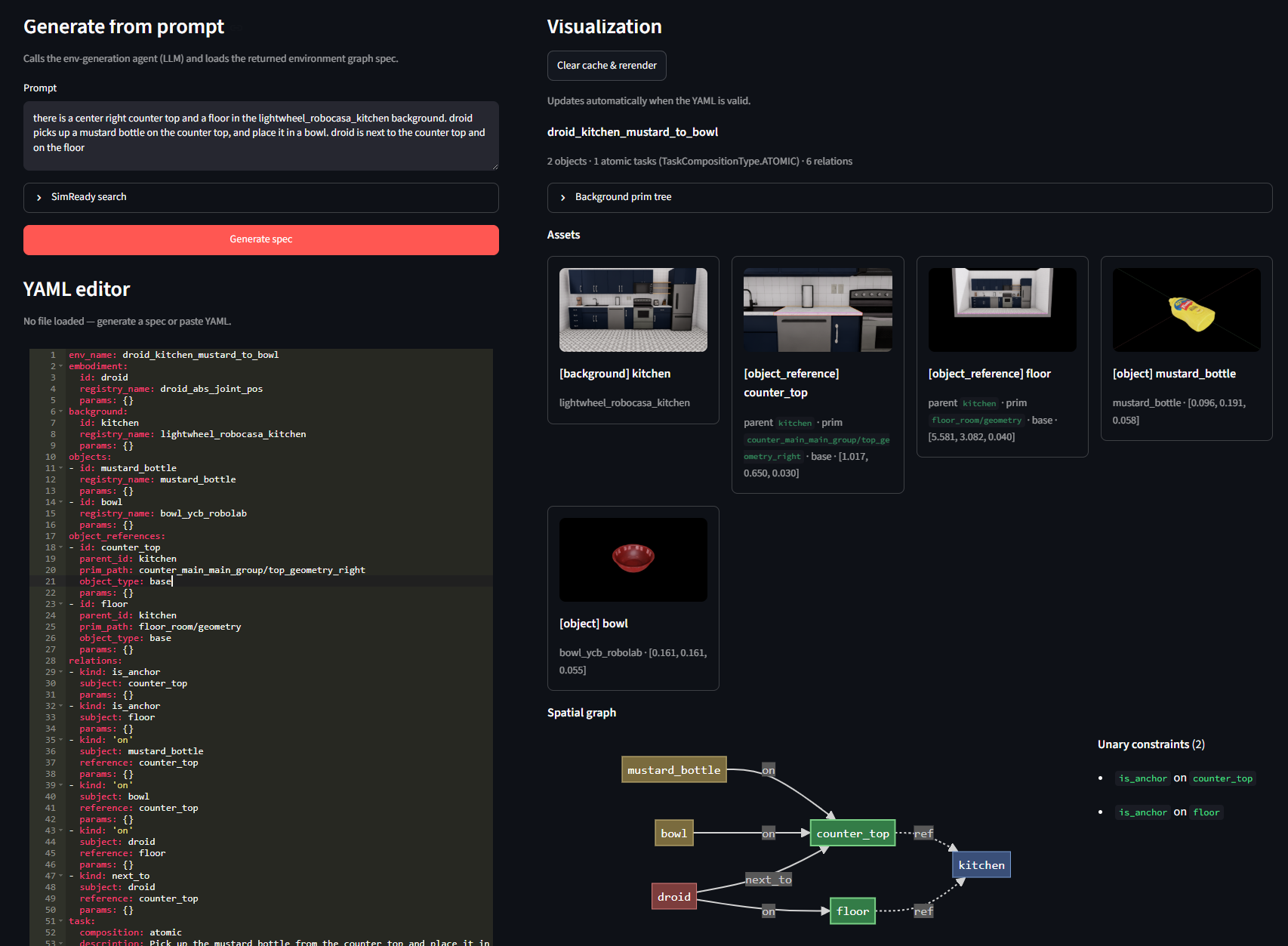
The second prompt adds the floor reference and the DROID on and
next_to relations.#
The generated relations identify the correct entities, but the initial layout
may place the robot on the wrong side of the counter or facing the wrong
direction. Set the next_to parameters manually and add a
rotate_around_solution relation to rotate the robot to face the counter:
- kind: next_to
  subject: droid
  reference: right_counter_top
  params:
    side: negative_y
    distance_m: 0.15
- kind: rotate_around_solution
  subject: droid
  params:
    yaw_rad: 1.57
Make sure to save the edited YAML file to disk.
By default, the GUI and CLI runners save newly generated specs under
isaaclab_arena_environments/agent_generated/ using the spec’s env_name;
for this example, the generated path is
isaaclab_arena_environments/agent_generated/droid_pick_mustard_to_bowl.yaml.
The repository includes a finalized reference copy at
isaaclab_arena_environments/kitchen_bench/droid_pick_and_place_lightwheel_kitchen.yaml.
Run a Policy in the Generated Environment#
Next, run a generalized policy, such as an OpenPI policy, in the generated environment to verify that it works end to end.
Start the OpenPI server as described in Evaluate with OpenPI. In a second
terminal, enter the Arena container with ./docker/run_docker.sh, then run
two episodes as a sanity check that the generated environment works with a PI
policy:
The command below uses the provided reference copy. To run your generated spec
instead, replace the --env_graph_spec_yaml path with the corresponding file
under isaaclab_arena_environments/agent_generated/.
python isaaclab_arena/evaluation/policy_runner.py \
   --viz kit \
   --policy_type isaaclab_arena_openpi.policy.pi0_remote_policy.Pi0RemotePolicy \
   --num_episodes 2 \
   --num_envs 1 \
   --enable_cameras \
   --env_graph_spec_yaml isaaclab_arena_environments/kitchen_bench/droid_pick_and_place_lightwheel_kitchen.yaml
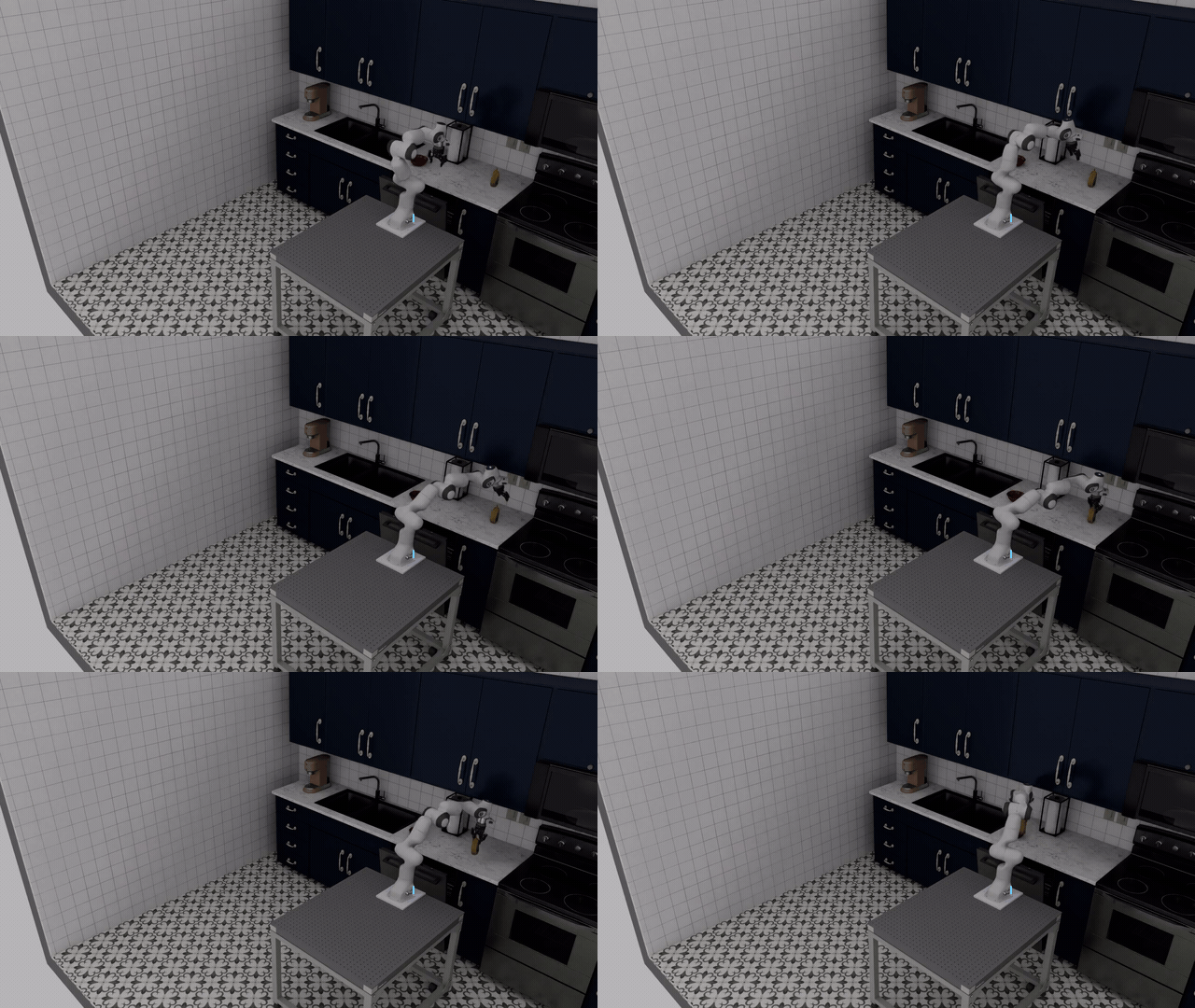
PI controls DROID to pick up the mustard bottle and place it in the bowl in the agentically generated kitchen environment.#