

Exploring Environment Variations#
Arena lets you evaluate a robot policy across variations of object, lighting, and embodiment from a single environment definition — no task logic changes, no duplicated configuration. You swap one argument and get a completely different environment.
The fastest way to see this is with the policy runner and a zero-action policy — a placeholder policy that sends zero commands to the robot every step. The robot stays still, but the environment loads, the scene renders, and you can verify that each variation works. No model weights needed.
The four experiments below all use the same pick_and_place_maple_table environment. Each one changes
exactly one argument from the baseline.
Experiment: Baseline#
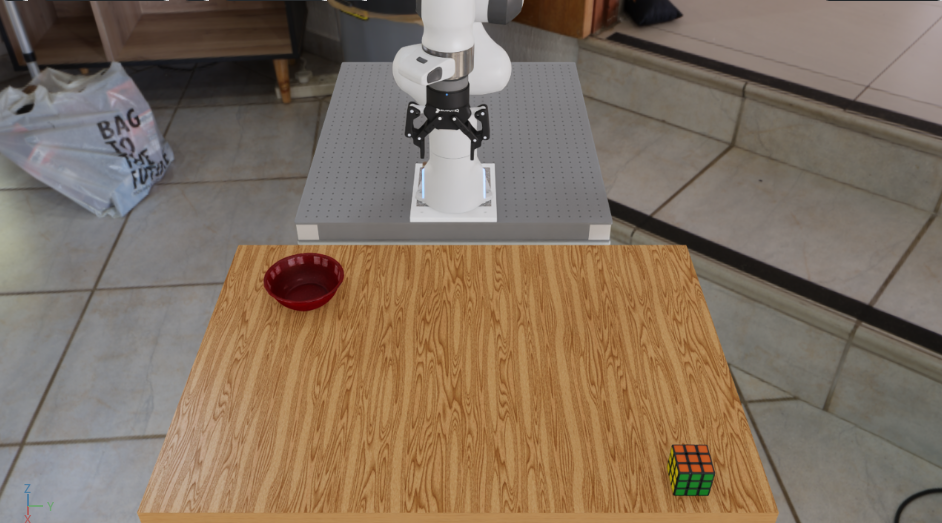
Your reference run — rubiks cube on the table, bowl as destination:
python isaaclab_arena/evaluation/policy_runner.py \
  --viz kit \
  --policy_type zero_action \
  --num_steps 50 \
  pick_and_place_maple_table \
  --embodiment droid_rel_joint_pos \
  --pick_up_object rubiks_cube_hot3d_robolab \
  --destination_location bowl_ycb_robolab \
  --hdr home_office_robolab
Experiment: Swap Objects#
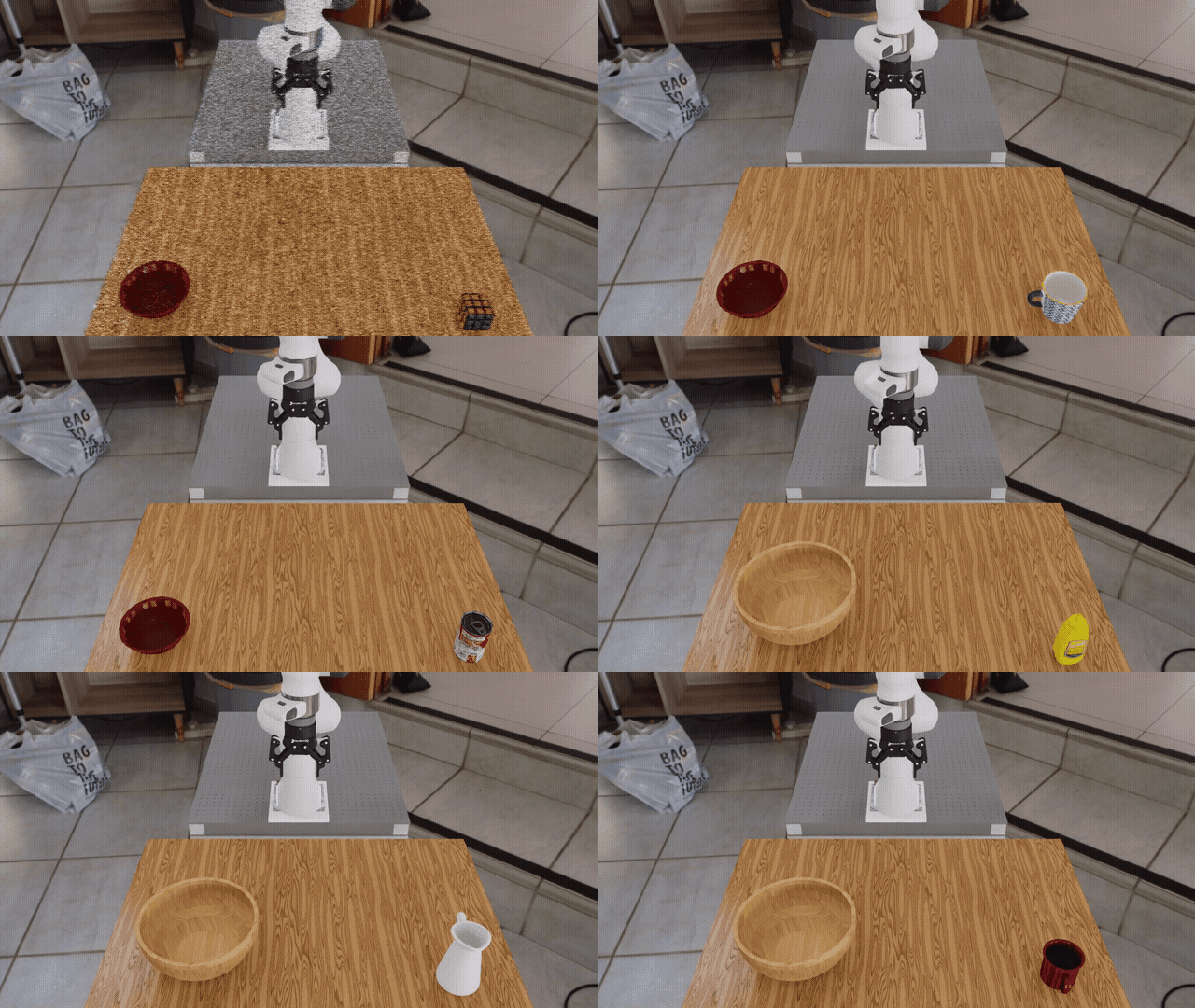
Change --pick_up_object and --destination_location to swap what is on the table.
Some options to try:
--pick_up_object:
  rubiks_cube_hot3d_robolab     mustard_bottle_hot3d_robolab
  mug_hot3d_robolab             soup_can_hot3d_robolab
  ceramic_mug_hot3d_robolab     pitcher_hot3d_robolab
  mustard_ycb_robolab           sugar_box_ycb_robolab
  tomato_soup_can_ycb_robolab   mug_ycb_robolab

--destination_location:
  bowl_ycb_robolab              wooden_bowl_hot3d_robolab
python isaaclab_arena/evaluation/policy_runner.py \
  --viz kit \
  --policy_type zero_action \
  --num_steps 50 \
  pick_and_place_maple_table \
  --embodiment droid_rel_joint_pos \
  --pick_up_object mustard_bottle_hot3d_robolab \
  --destination_location wooden_bowl_hot3d_robolab \
  --hdr home_office_robolab
Experiment: Change Background HDR#
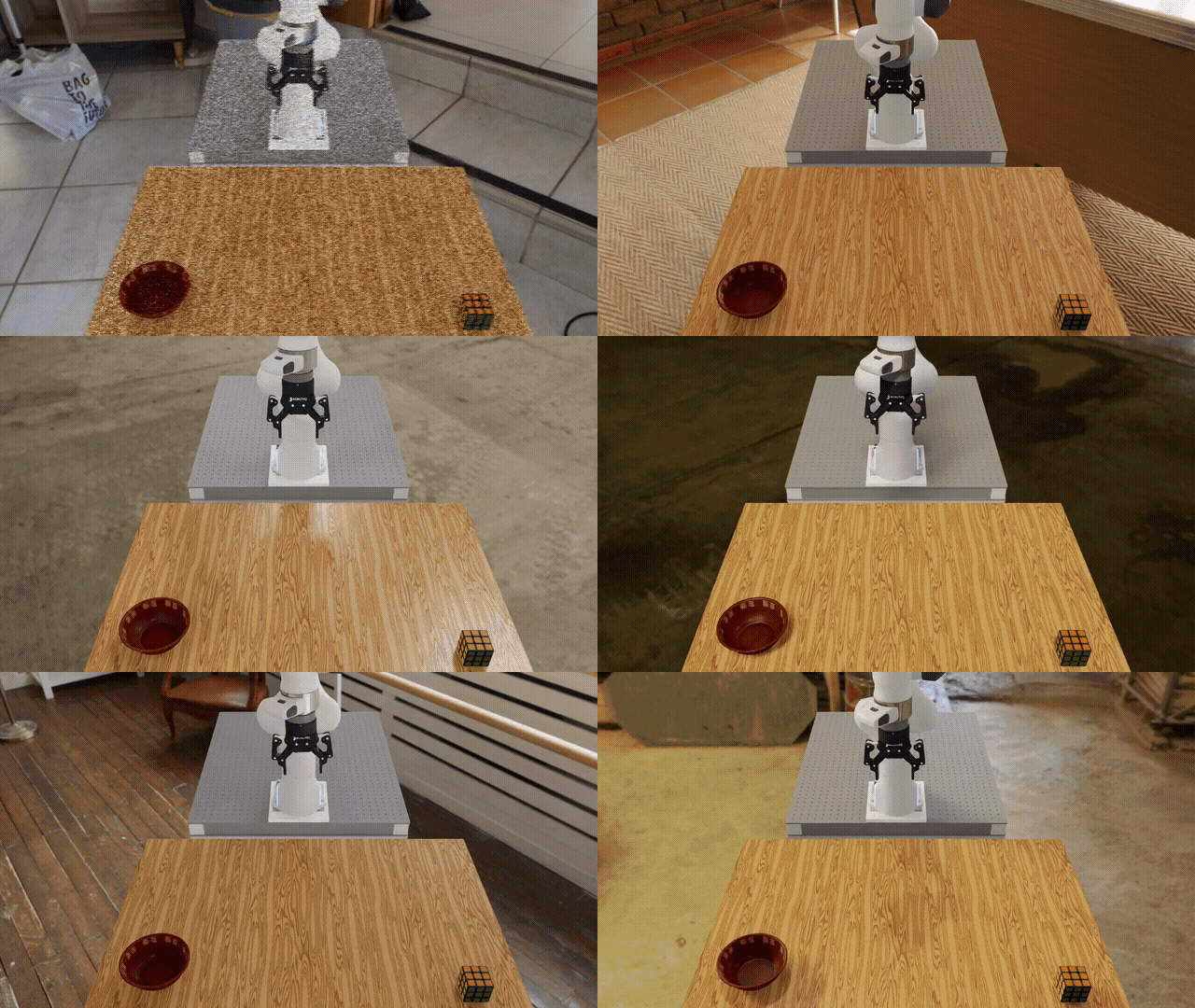
Set --hdr to any registered HDR environment map to change the background and ambient lighting:
home_office_robolab            empty_warehouse_robolab
billiard_hall_robolab          aerodynamics_workshop_robolab
wooden_lounge_robolab          garage_robolab
kiara_interior_robolab         brown_photostudio_robolab
carpentry_shop_robolab
You can also adjust the dome light intensity independently with --light_intensity:
python isaaclab_arena/evaluation/policy_runner.py \
  --viz kit \
  --policy_type zero_action \
  --num_steps 50 \
  pick_and_place_maple_table \
  --embodiment droid_rel_joint_pos \
  --pick_up_object rubiks_cube_hot3d_robolab \
  --destination_location bowl_ycb_robolab \
  --hdr billiard_hall_robolab \
  --light_intensity 1000.0
Experiment: Scale Up#
Add --num_envs to run many environments in parallel on the GPU:
python isaaclab_arena/evaluation/policy_runner.py \
  --viz kit \
  --policy_type zero_action \
  --num_steps 50 \
  --num_envs 64 \
  pick_and_place_maple_table \
  --embodiment droid_rel_joint_pos \
  --pick_up_object rubiks_cube_hot3d_robolab \
  --destination_location bowl_ycb_robolab
All 64 environments share the same assets and run simultaneously on the GPU. When you swap in a real policy, every one of those environments runs inference in parallel — giving you 64 evaluation episodes at the cost of one. This is how Arena makes it practical to measure policy robustness across hundreds of object and scene combinations in a single run.

Sequential Batch Evaluation#
The four experiments above run one variation at a time. In practice, Arena is used to evaluate
a policy across hundreds of object, scene, and embodiment combinations in a single run. The
experiment_runner.py script reads a JSON job config that lists any number of jobs — each with its
own environment arguments, policy, and step count — and runs them sequentially within one Isaac
Sim process, collecting success metrics for each. getting_started_jobs_config.json bundles
the four experiments above into a single config:
python isaaclab_arena/evaluation/experiment_runner.py \
  --viz kit \
  --eval_jobs_config isaaclab_arena_environments/eval_jobs_configs/getting_started_jobs_config.json

At the end of the run you get a per-job summary of success rates. See 2. Experiment Runner — batch jobs for full details on the job config format and available options.
All of the above used a zero-action policy — the robot stays still and success rates are zero. The next page swaps in a real pre-trained model and runs it in closed loop: Running a Real Policy.