

Demos#
Select a demo, choose its backend and visualizer, then copy the command to run it locally. No source checkout is required.
More examples#
List all demos or focused API examples:
uvx --torch-backend cu130 isaaclab demo list
uvx --torch-backend cu130 isaaclab example list
Run a focused example with isaaclab example <name>. In the Newton GL viewer, the
Isaac Lab Programs panel lets you switch between available demos and examples.
MicroDuck Warehouse rendering#
View the static MicroDuck Warehouse through selectable renderers and saved cameras, without advancing physics.
uv run --extra ovrtx isaaclab demo microduck-warehouse
uv run --extra isaacsim isaaclab demo microduck-warehouse renderer=isaacsim_rtx presets=path_traced
uv run isaaclab demo microduck-warehouse renderer=newton_renderer presets=aisle,depth
Use presets=aisle for the alternate camera and output presets such as depth or normals.
For full MDL minimal shading, select renderer=isaacsim_rtx presets=minimal.
SONIC on gravel and sand#
The SONIC demo runs a G1 robot over gravel and sand with Newton MJWarp and MPM, or Isaac Sim PhysX and PBD. It requires an NVIDIA GPU and uses Kit for RTX rendering.
From the repository root, install the simulator, recording dependencies, and the additional packages used to download and run the released ONNX models:
uv sync --extra isaacsim --extra video
uv pip install "huggingface-hub>=0.34" "onnxruntime-gpu>=1.22"
The demo downloads the planner and tracker from nvidia/GEAR-SONIC at a pinned revision. The robot USD is downloaded from the public Isaac asset server.
Run either backend:
uv run --extra isaacsim --extra video isaaclab demo sonic \
  --physics newton_mjwarp --output logs/sonic_newton

uv run --extra isaacsim --extra video isaaclab demo sonic \
  --physics isaacsim_physx --video --output logs/sonic_physx
Without --viz, Newton records offscreen with Kit/RTX and opens no simulation window;
PhysX opens Kit and records only with --video. Both commands above save
sonic_0000.mp4 in the selected output directory (logs/sonic when --output is omitted).
The terminal reports simulation progress. Recording advances
in simulation time, so the full MPM scene can take substantially longer than the video
duration. Pass --seconds to change the simulation duration.
Pass --viz newton_gl or --viz kit to open a Newton simulation window instead.
With an explicit --viz selection, recording is opt-in via --video.
Append env.sim.device=cuda:1 to select a different CUDA device for physics and SONIC
inference. PhysX keeps state buffers on the CPU for USD readback while particle
simulation uses the selected GPU.
uv run preserves the manually installed packages. If you run uv sync again,
repeat the uv pip install command before launching SONIC.
Focused examples#
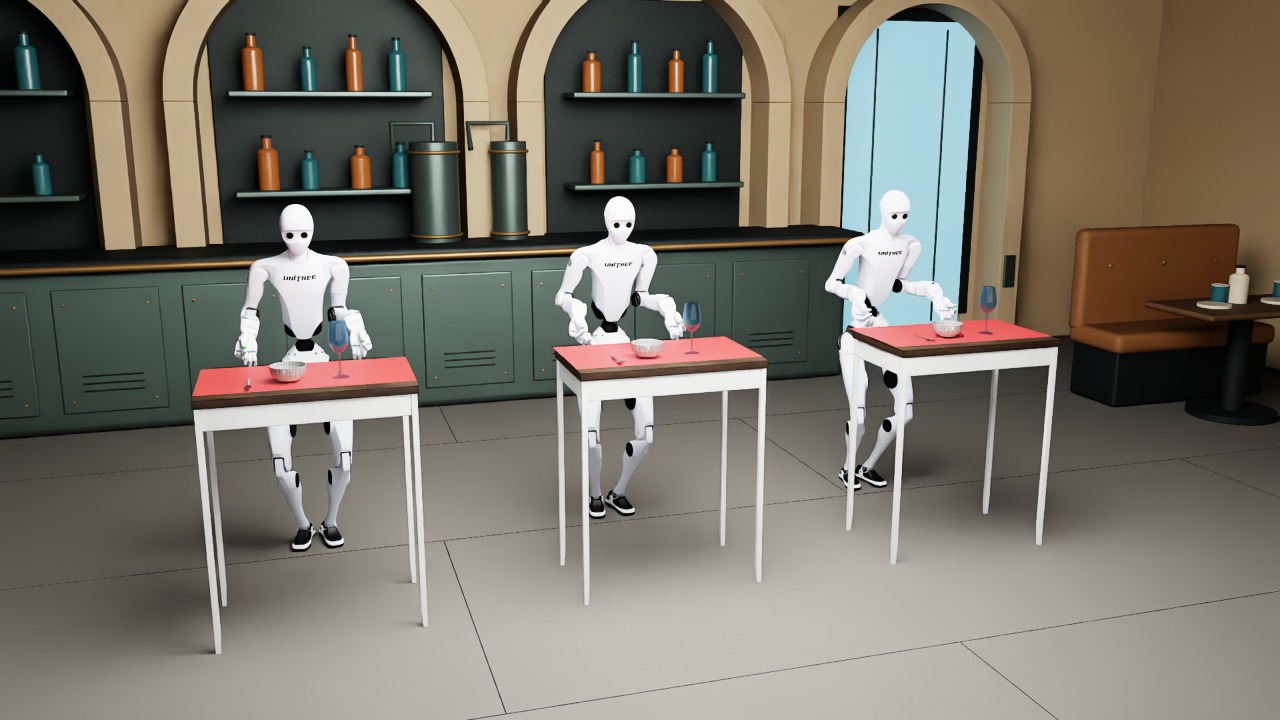
Native Kit viewport with the three pull stations aligned and interior lighting enabled.#
Three H2 Plus robots with SHARPA hands pull tablecloths at different speeds in the Cloth Pull Challenge cantina. Newton VBD simulates the cloth, tableware, and contact-driven grasps; scripted IK controls the fixed-base robots. The contact settings prioritize accuracy over real-time throughput.
uvx --torch-backend cu130 isaaclab example tablecloth --device cuda:0
Newton GL is the default visualizer. For the Isaac Sim RTX viewport,
install the isaacsim extra and select --visualizer kit.
uvx --torch-backend cu130 --from 'isaaclab[isaacsim]' isaaclab example tablecloth --device cuda:0 --visualizer kit
Kit videos: five-speed overview and wider-side grasp and pull.
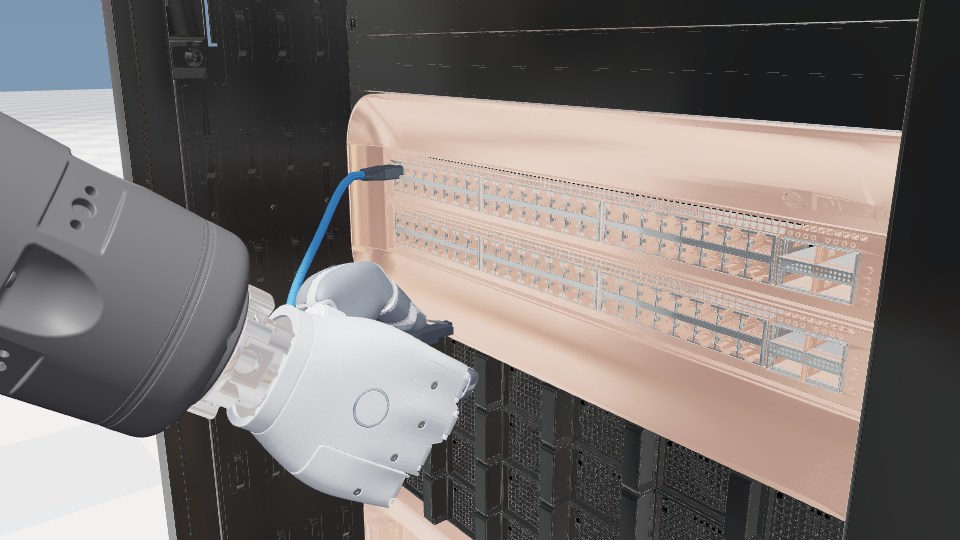
Kit preview with optional GB300 rack visuals.#
A scripted Rizon 4s and SHARPA hand insert, release, regrasp and extract an RJ45 connector in one continuous simulation. The non-RL manager-based example uses native hydroelastic hand contact, a spring clip and a VBD cable.
uvx isaaclab example sharpa-rj45
From a checkout, use uv run isaaclab example sharpa-rj45.
NewtonGL displays one GB300 rack; --viz kit and --viz newton_rtx
load the full render-only data center without adding physics geometry.
Requires the external Rizon/SHARPA robot asset bundle; see the
asset and recording setup.