



Contact Sensor#
A ContactSensor measures contact forces on rigid bodies.
prim_path selects the bodies to measure in each
environment.
Net and filtered forces#
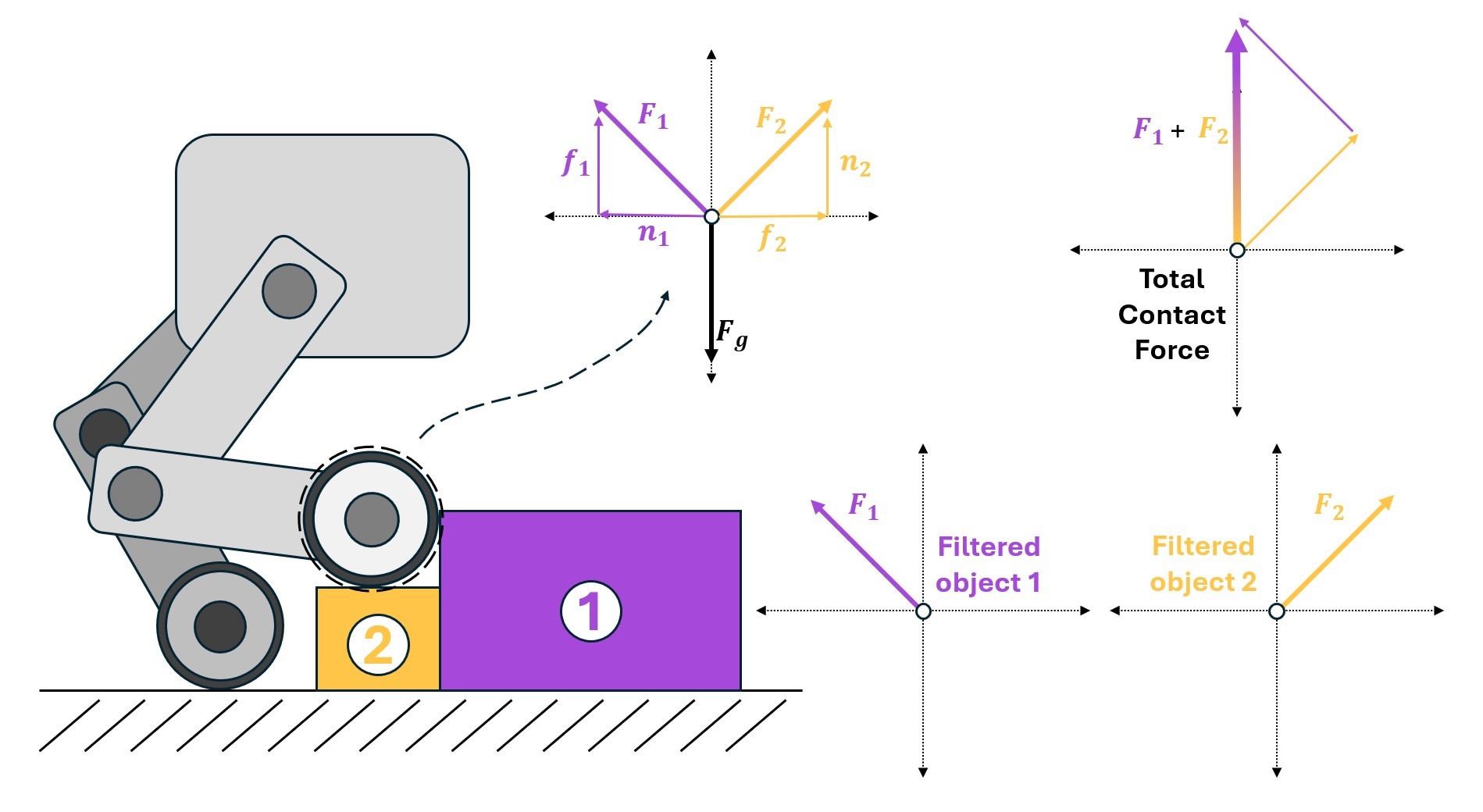
net_normal_forces_w is the aggregate normal force acting on each
sensor body in the world frame. It includes contact with every body in the scene.
When supported by the backend and enabled with track_friction_forces,
net_friction_forces_w reports the aggregate friction force.
The total force is therefore
On Newton, OvPhysX, and Isaac Sim PhysX 6.2 or later,
net_forces_w reports this total, including friction even when
track_friction_forces=False. Isaac Sim PhysX 6.1 returns net_normal_forces_w from
net_forces_w with a warning.
Use the explicit normal and friction properties when the split matters.
Set filter_prim_paths_expr when forces from specific collision
partners are also needed. normal_force_matrix_w and
friction_force_matrix_w retain one entry per configured
filter expression.
The corresponding force_matrix_w reports normal plus friction
on Newton, OvPhysX, and Isaac Sim PhysX 6.2 or later, regardless of track_friction_forces.
Summing a force matrix over its filter dimension reconstructs the corresponding aggregate force only when the filters cover every contacting object.
Body-level filtering supports a many-to-one relationship: prim_path must resolve to one sensor
body per environment when filters are configured. Define one sensor per source body when separate
filtered forces are required, for example one sensor for each foot. Newton additionally supports
shape-level sensing and filtering through sensor_shape_prim_expr and
filter_shape_prim_expr.
Configure the sensor#
Add the configuration to an InteractiveSceneCfg:
from isaaclab.scene import InteractiveSceneCfg
from isaaclab.sensors import ContactSensorCfg


class MySceneCfg(InteractiveSceneCfg):
    left_foot_contact = ContactSensorCfg(
        prim_path="{ENV_REGEX_NS}/Robot/LF_FOOT",
        update_period=0.0,
        history_length=6,
        filter_prim_paths_expr=["{ENV_REGEX_NS}/Object"],
        track_air_time=True,
    )
update_period=0.0 samples every physics step. history_length stores earlier force samples.
Enable optional buffers only when they are needed. Their backend support differs:
Isaac Sim PhysX 6.2 or later supports pose, filtered contact-point, and aggregate or filtered friction-force tracking. Isaac Sim PhysX 6.1 supports only filtered friction-force tracking.
OvPhysX supports filtered contact-point and aggregate or filtered friction-force tracking. Pose tracking is supported for a single sensor body per environment.
Newton supports filtered contact-point and aggregate or filtered friction-force tracking, but not pose tracking.
Filtered contact points and force matrices require filters. Aggregate friction on Newton, OvPhysX,
and Isaac Sim PhysX 6.2 or later works without filters. OvPhysX and Isaac Sim PhysX 6.2 or later
require a positive max_contact_data_count_per_prim only for contact points; their aggregate and
filtered forces do not depend on detailed contact capacity. Isaac Sim PhysX 6.1 also requires this
capacity for filtered friction. OvPhysX warns and truncates detailed contacts when capacity is
exceeded; increase the configured capacity before recreating the sensor to retain all contact points.
Contact positions are averaged over each sensor/filter pair and are NaN when the pair has no
contacts. Isaac Sim PhysX and OvPhysX also reset contact positions to NaN. Filtered friction
forces sum the pair’s friction forces and are zero without contact. On Isaac Sim PhysX 6.1, contact
points and friction anchors can have different counts.
Read the data#
For E environments, S sensor bodies, F filter expressions, and history length H, the
principal Torch views have these contracts:
Buffer |
Shape |
Meaning |
|---|---|---|
|
|
Net normal contact force [N] in world frame |
|
|
Net friction force [N] in world frame; Newton, OvPhysX, and Isaac Sim PhysX 6.2+ |
|
|
Total force [N]; normal force with a warning on Isaac Sim PhysX 6.1 |
|
|
Normal force [N] from each filtered partner |
|
|
Friction force [N] from each filtered partner; Isaac Sim PhysX, OvPhysX, and Newton |
|
|
Total filtered force [N]; normal force with a warning on Isaac Sim PhysX 6.1 |
|
|
Average filtered contact position [m] in world frame |
|
|
Current mode duration [s] |
Supported optional buffers are None unless their matching tracking option or filter is enabled.
Normal, friction, and total force histories add an H dimension after E, with the newest
sample at index zero. Reading aggregate friction on Isaac Sim PhysX 6.1 raises NotImplementedError.
The compatibility alias friction_forces_w returns the aggregate on Newton, OvPhysX, and Isaac
Sim PhysX 6.2 or later; on Isaac Sim PhysX 6.1 it returns friction_force_matrix_w with a warning.
Reading pose data on Newton raises NotImplementedError.
contact = scene["left_foot_contact"]
net_normal_force = contact.data.net_normal_forces_w.torch
object_normal_force = contact.data.normal_force_matrix_w.torch
Use debug_vis=True while validating body expressions and filter partners. The visualization shows
sensor contacts but does not change the reported data.
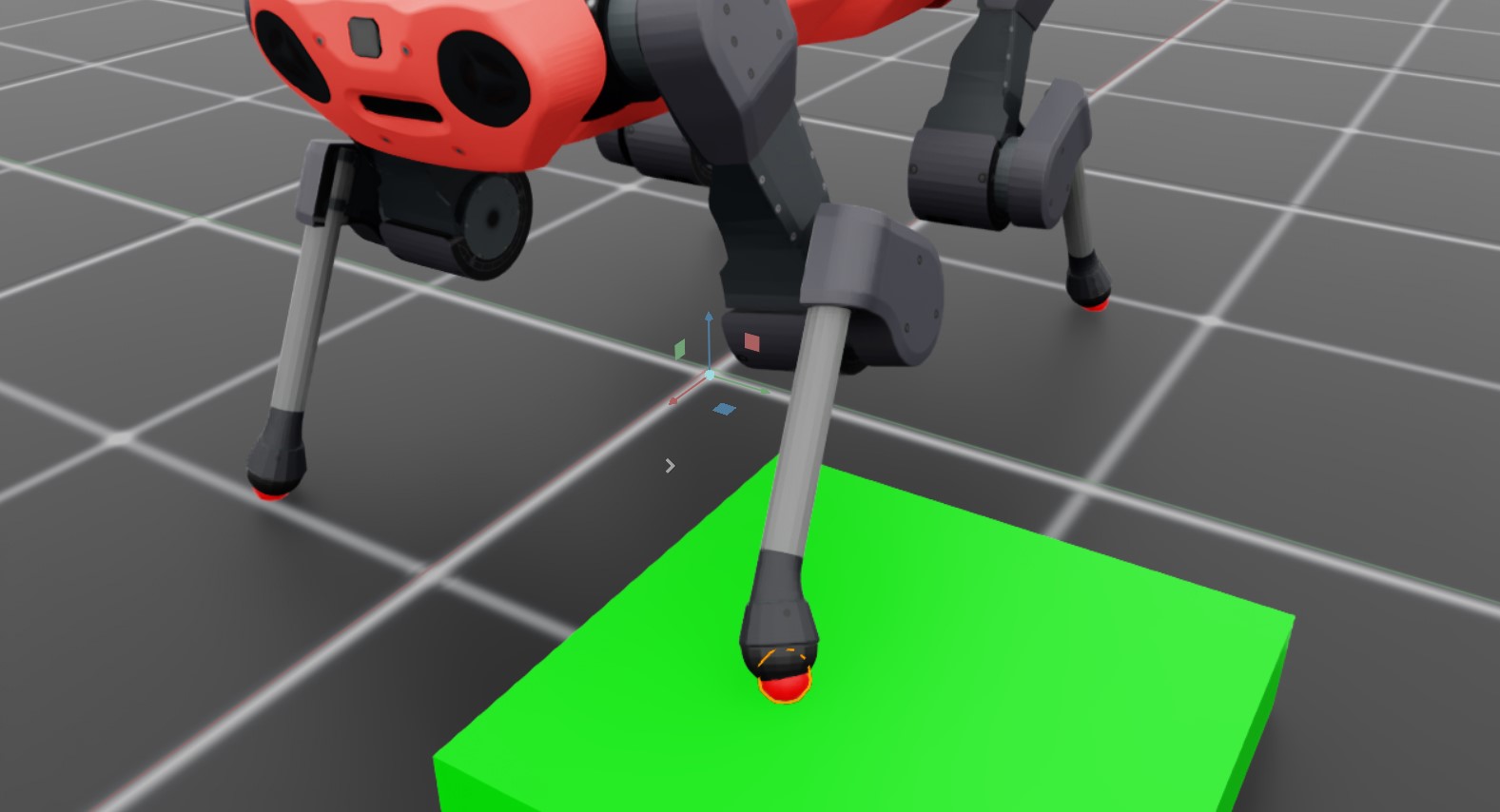
A complete runnable example is available as contact-sensor:
uv run isaaclab example contact-sensor