

Data Generation#
This workflow covers annotating and generating the demonstration dataset using Isaac Lab Mimic.
Docker Container: Base (see Docker Containers for more details)
./docker/run_docker.sh
Step 1: Download Human Demonstration Dataset#
For this tutorial we will use the pre-recorded human demonstrations. Note that, in contrast, in the static manipulation workflow, we support recording your own demonstrations.
Note
Recording your own demonstrations for loco-manipulation workflows will be supported in a future release.
Download the pre-recorded human demonstrations:
hf download \
    nvidia/Arena-G1-Loco-Manipulation-Task \
    arena_g1_loco_manipulation_dataset_annotated.hdf5 \
    --repo-type dataset \
    --local-dir $DATASET_DIR
Step 2: Generate Dataset with Isaac Lab Mimic#
We use Isaac Lab Mimic to generate additional demonstrations from the human demonstrations by applying object and trajectory transformations to introduce data variations.
Start the Arena Docker container, if you haven’t already:
./docker/run_docker.sh
Generate the dataset:
# Generate 100 demonstrations
python isaaclab_arena/scripts/generate_dataset.py \
  --headless \
  --enable_cameras \
  --mimic \
  --input_file $DATASET_DIR/arena_g1_loco_manipulation_dataset_annotated.hdf5 \
  --output_file $DATASET_DIR/arena_g1_loco_manipulation_dataset_generated.hdf5 \
  --generation_num_trials 100 \
  --device cpu \
  galileo_g1_locomanip_pick_and_place \
  --object brown_box \
  --embodiment g1_wbc_pink
Data generation takes 1-4 hours depending on your CPU/GPU.
You can remove --headless to visualize during data generation.
Step 3: Validate Generated Dataset (Optional)#
To visualize the data produced, you can replay the dataset using the following command:
python isaaclab_arena/scripts/replay_demos.py \
  --device cpu \
  --enable_cameras \
  --dataset_file $DATASET_DIR/arena_g1_loco_manipulation_dataset_generated.hdf5 \
  galileo_g1_locomanip_pick_and_place \
  --object brown_box \
  --embodiment g1_wbc_pink
You should see the robot successfully perform the task.
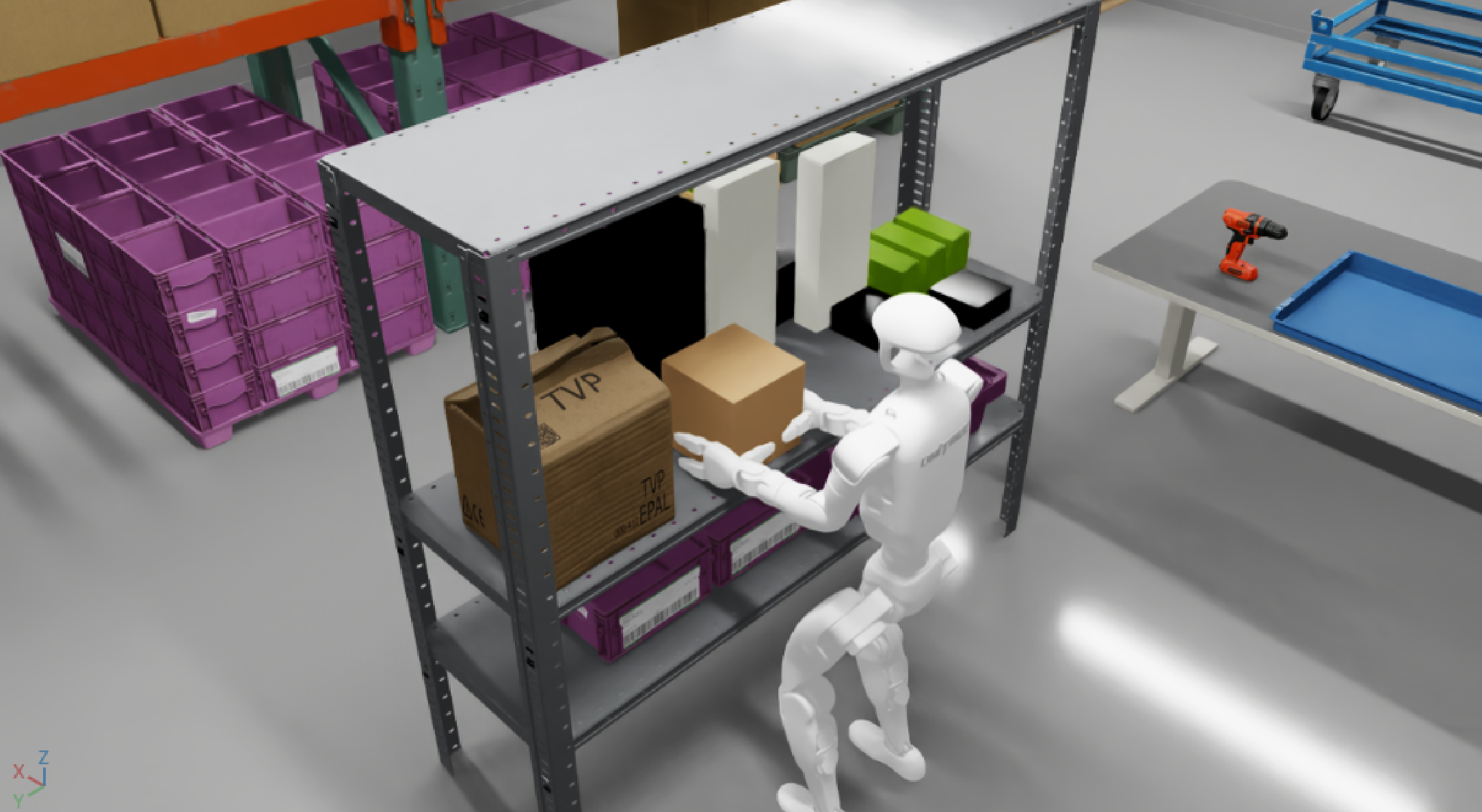
IsaacLab Arena G1 Locomanip Pick and Place Task View#
Note
The dataset was generated using CPU device physics, therefore the replay uses --device cpu to ensure reproducibility.