

G1 Loco-Manipulation Box Pick and Place Task#
This example demonstrates the complete workflow for the G1 loco-manipulation box pick and place task in Isaac Lab - Arena, covering environment setup and validation, data generation, policy post-training, and closed-loop evaluation.
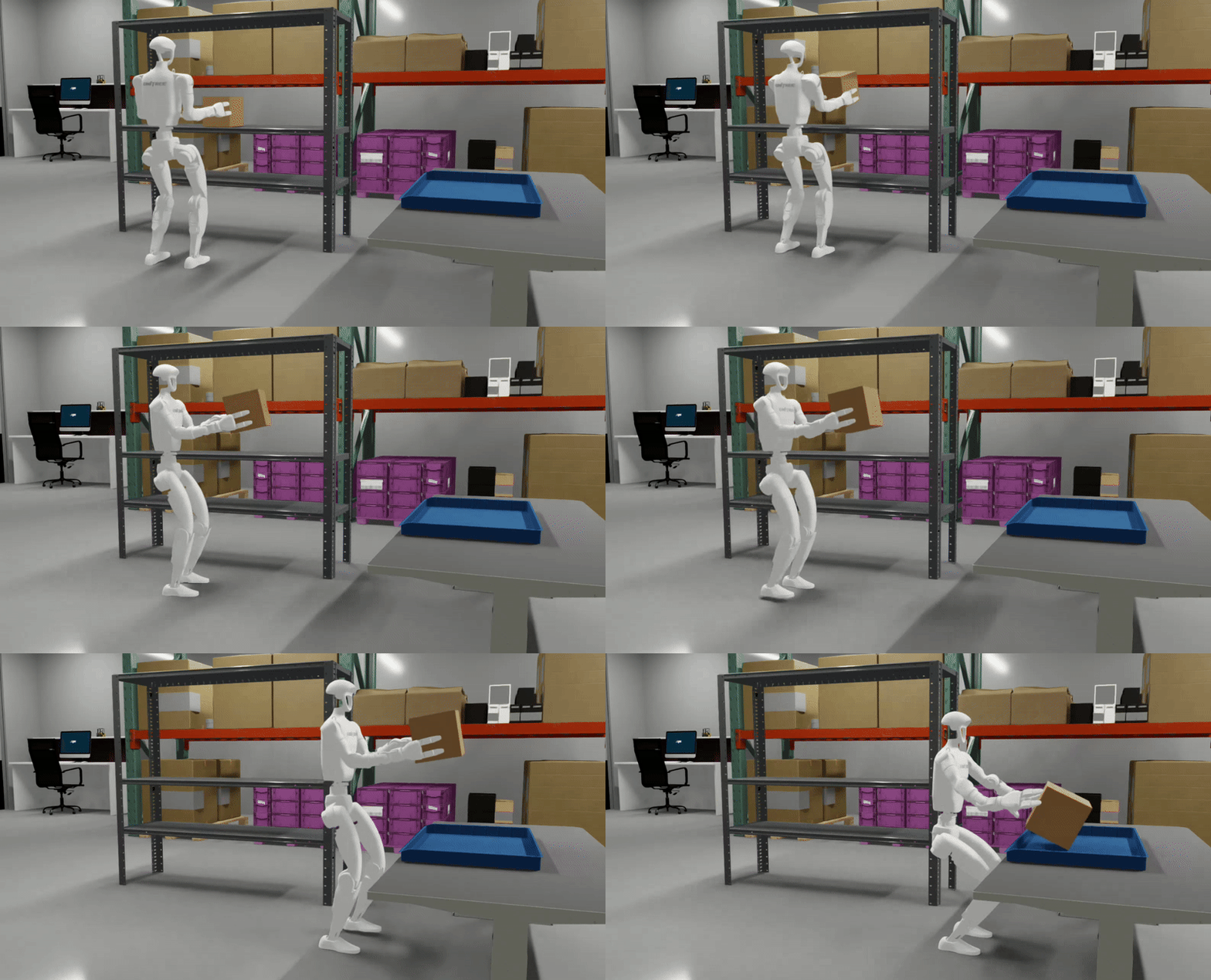
Task Overview#
Task Name: galileo_g1_locomanip_pick_and_place
Task Description: The G1 humanoid robot navigates through a lab environment, picks up a brown box from a shelf, and places it into a blue bin. This task requires full-body coordination including lower body locomotion, squatting, and bimanual manipulation.
Key Specifications:
Property |
Value |
|---|---|
Tags |
Room-scale loco-manipulation |
Skills |
Squat, Turn, Walk, Pick, Place |
Embodiment |
Unitree G1 (29 DOF humanoid with Whole Body Controller) |
Interop |
Isaac Lab Mimic |
Scene |
Galileo Lab Environment |
Manipulated Object(s) |
Brown box (rigid body) |
Policy |
GR00T N1.5 (vision-language-action foundation model) |
Post-training |
Imitation Learning |
Dataset |
|
Checkpoint |
|
Physics |
PhysX (200Hz @ 4 decimation) |
Closed-loop |
Yes (50Hz control) |
Metrics |
Success rate |
Workflow#
This tutorial covers the pipeline between creating an environment, generating training data, fine-tuning a policy (GR00T N1.5), and evaluating the policy in closed-loop. A user can follow the whole pipeline, or can start at any intermediate step by downloading the pre-generated output of the preceding step(s), which we provide (described in the relevant step below).
Prerequisites#
Start the isaaclab docker container
./docker/run_docker.sh
We store data on Hugging Face, so you’ll need log in to Hugging Face if you haven’t already.
hf auth login
Create the folders for the data and models:
export DATASET_DIR=/datasets/isaaclab_arena/locomanipulation_tutorial
mkdir -p $DATASET_DIR
export MODELS_DIR=/models/isaaclab_arena/locomanipulation_tutorial
mkdir -p $MODELS_DIR
Workflow Steps#
Follow the following steps to complete the workflow: