

Step 4: Validate the Generated Dataset#
Structural Validation#
Check the generated HDF5 file and summarize its contents:
python scripts/validate_dataset.py ./datasets/generated_dataset_softmimicgen_franka_rope_newton.hdf5
python scripts/validate_dataset.py ./datasets/generated_dataset_softmimicgen_franka_rope_physx.hdf5
If you only ran small-scale generation, use the corresponding _small.hdf5 file instead.
The validator prints the episode count, environment metadata, and any structural issues.
It checks that every episode contains actions, initial_state, and obs with the
expected HDF5 types, and exits nonzero if a file is invalid. For unreadable or truncated
files, see Invalid or Truncated HDF5.
Structural validation does not check rope geometry, grasp quality, or whether actions reproduce the original outcome. Inspect the generated motions as well.
Visual Validation#
Replay the generated episodes using Isaac Lab’s replay tool. Select the backend used to generate the dataset, and keep the Arena registration callback:
python submodules/IsaacLab-Arena/submodules/IsaacLab/scripts/tools/replay_demos.py \
    --task Isaac-Rope-Franka-Arena-IK-Rel-v0 \
    --presets newton \
    --external_callback autodata_examples.envs.register_environments \
    --viz kit \
    --device cuda \
    --enable_cameras \
    --num_envs 1 \
    --dataset_file ./datasets/generated_dataset_softmimicgen_franka_rope_newton.hdf5
python submodules/IsaacLab-Arena/submodules/IsaacLab/scripts/tools/replay_demos.py \
    --task Isaac-Rope-Franka-Arena-IK-Rel-v0 \
    --presets physx \
    --external_callback autodata_examples.envs.register_environments \
    --viz kit \
    --device cuda \
    --enable_cameras \
    --num_envs 1 \
    --dataset_file ./datasets/generated_dataset_softmimicgen_franka_rope_physx.hdf5
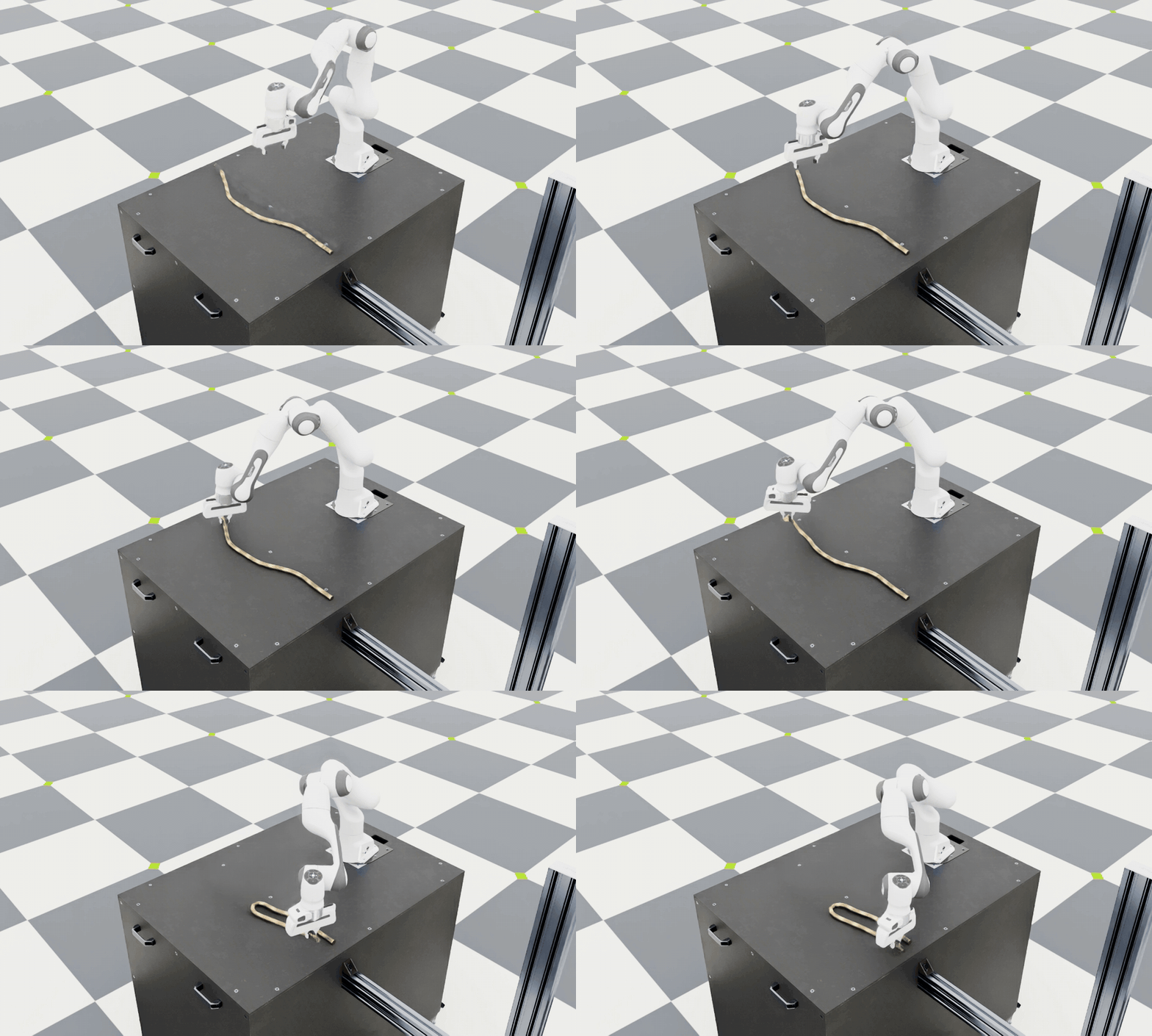
Replay a generated demonstration to inspect the data.#
If you only ran small-scale generation, use the corresponding _small.hdf5 file in the
replay command as well. Press B to pause replay and N to resume.
Look for a firm grasp, smooth motion after the grasp boundary, and the rope ends coming
together while the rope remains on the table. Watch for slipping grasps, abrupt transitions,
or distorted rope geometry. If these occur repeatedly, inspect the source demonstrations
and their grasp annotations before increasing the generation target. Keep the source
and live rope assets consistent, including simulation-node ordering. Matching node counts
alone does not establish correspondence.
Note
Action replay can diverge from the original simulation. In particular, PhysX replay after a reset is not deterministically reproducible. A different replay outcome does not by itself mean the saved demonstration failed during generation: with the supplied descriptor, exported episodes passed the task’s success condition when generated. Keep the backend and simulation settings consistent when comparing replay outcomes.