

Franka Rope Manipulation with SoftMimicGen#
This example demonstrates the AutoData workflow using SoftMimicGen to generate a synthetic dataset for a Franka robot manipulating a deformable rope. It covers recording source demonstrations by teleoperation, annotating their subtask boundaries, generating a dataset, and validating the result.
The workflow supports Newton and PhysX. Use the tabs throughout the tutorial to select a physics backend. The commands use separate dataset filenames for each backend.
Important
Keep the physics backend consistent for recording, annotation, generation, and replay. Use the source dataset that matches your selected backend.
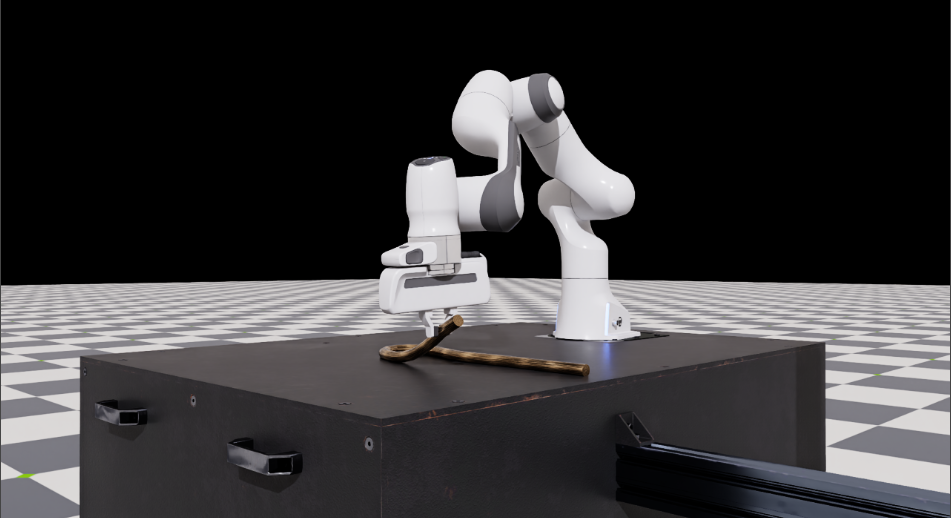
The Franka rope manipulation task.#
Task Overview#
Environment name: Isaac-Rope-Franka-Arena-IK-Rel-v0
Task Description: A Franka arm grasps a deformable rope on a table and manipulates it until its two ends are close together.
Key Specifications:
Property |
Value |
|---|---|
Algorithm |
SoftMimicGen (single end-effector in this example) |
Physics backends |
Newton ( |
Embodiment |
Franka, relative IK task-space actions (7-D: delta position, axis-angle rotation, and gripper open/close) |
Task descriptor |
|
Embodiment config |
|
Subtasks |
Approach and grasp the rope ( |
Newton source dataset |
|
PhysX source dataset |
How SoftMimicGen Adapts Demonstrations#
In the cube-stacking workflow, MimicGen transforms each source segment relative to a rigid object’s pose. A rope can change shape, so its pose alone does not describe the geometry the gripper needs to follow.
SoftMimicGen uses the rope’s simulation-node positions to compare the source and current
rope shapes. It selects a source demonstration using registration cost, then fits a
thin-plate-spline (TPS) transform to adapt the source end-effector trajectory to the new
shape. Annotation records the nodal positions needed for this transform along with the
subtask signals. The source data and live rope must have matching node counts, topology,
and node ordering: node i in the source must correspond to node i in the live rope.
AutoData records nodes in simulation order. Use the same rope asset and physics backend
throughout the workflow, and preserve that order when converting or preprocessing datasets.
The setup check verifies node counts but does not detect reordered nodes.
Workflow#
Follow the whole pipeline, or skip recording and annotation by using the backend-specific pre-annotated source dataset described in Step 3: Generate the Dataset.
Prerequisites#
Complete Installation, including downloading the Git LFS assets, and start the dev container:
./docker/run_docker.sh
Run the commands below from the repository root inside the container. Both backends use
--device cuda. A SpaceMouse is recommended for recording; a keyboard also works.
The examples enable cameras to include the task’s fixed-view and wrist RGB observations.
--viz kit opens the simulation window; --viz none runs without it. Camera recording
is controlled separately by --enable_cameras.